Edit your whole catalogue in minutes — and undo anything.
Bulk Studio is a bulk product editor and Excel import/export for the OpenCart admin. Every change is previewed before it is written, and every change can be reverted with one click.
Everything a busy store needs
Built for daily price and stock work, big catalogue clean-ups and moving data in and out of spreadsheets.
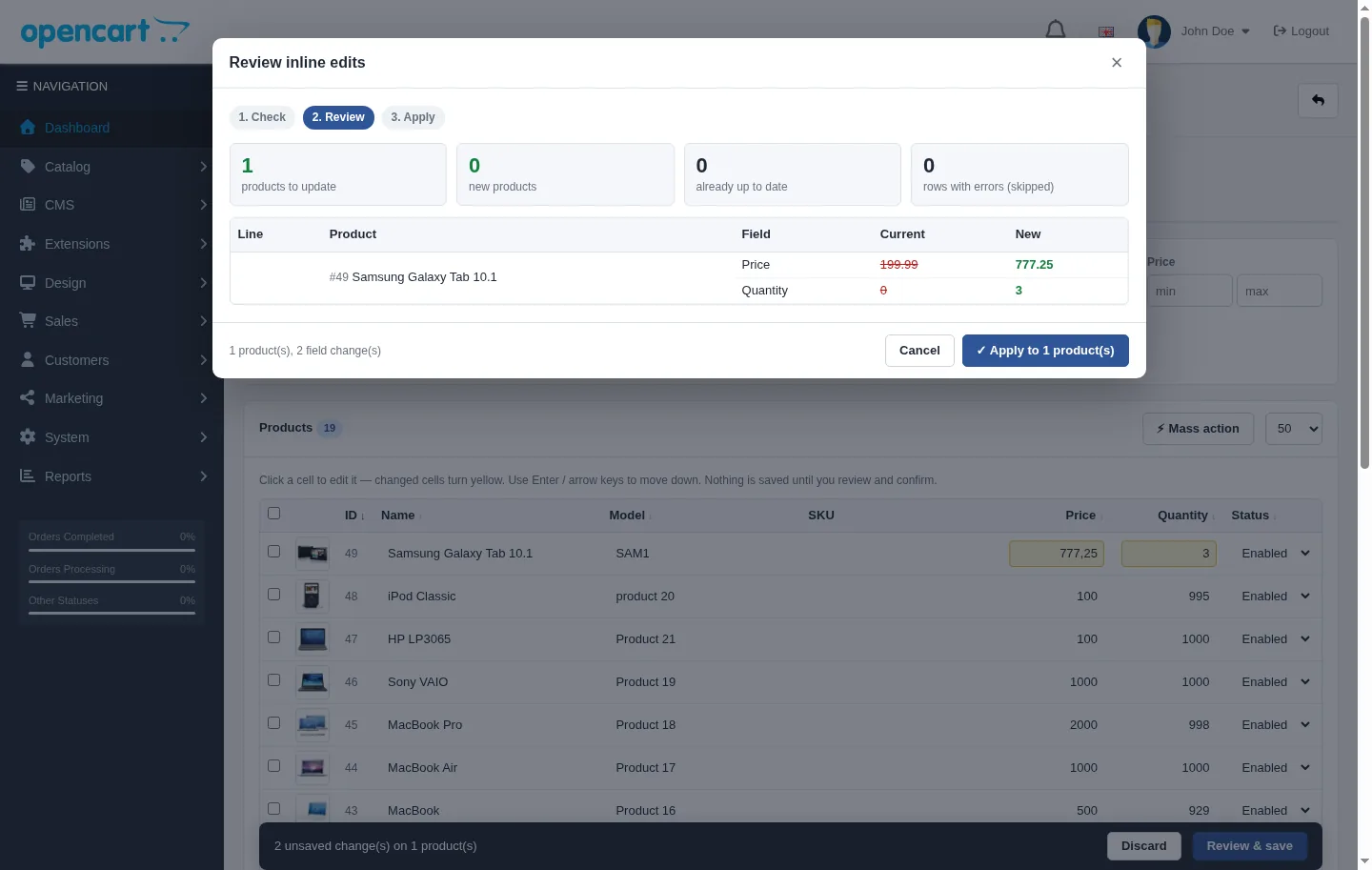
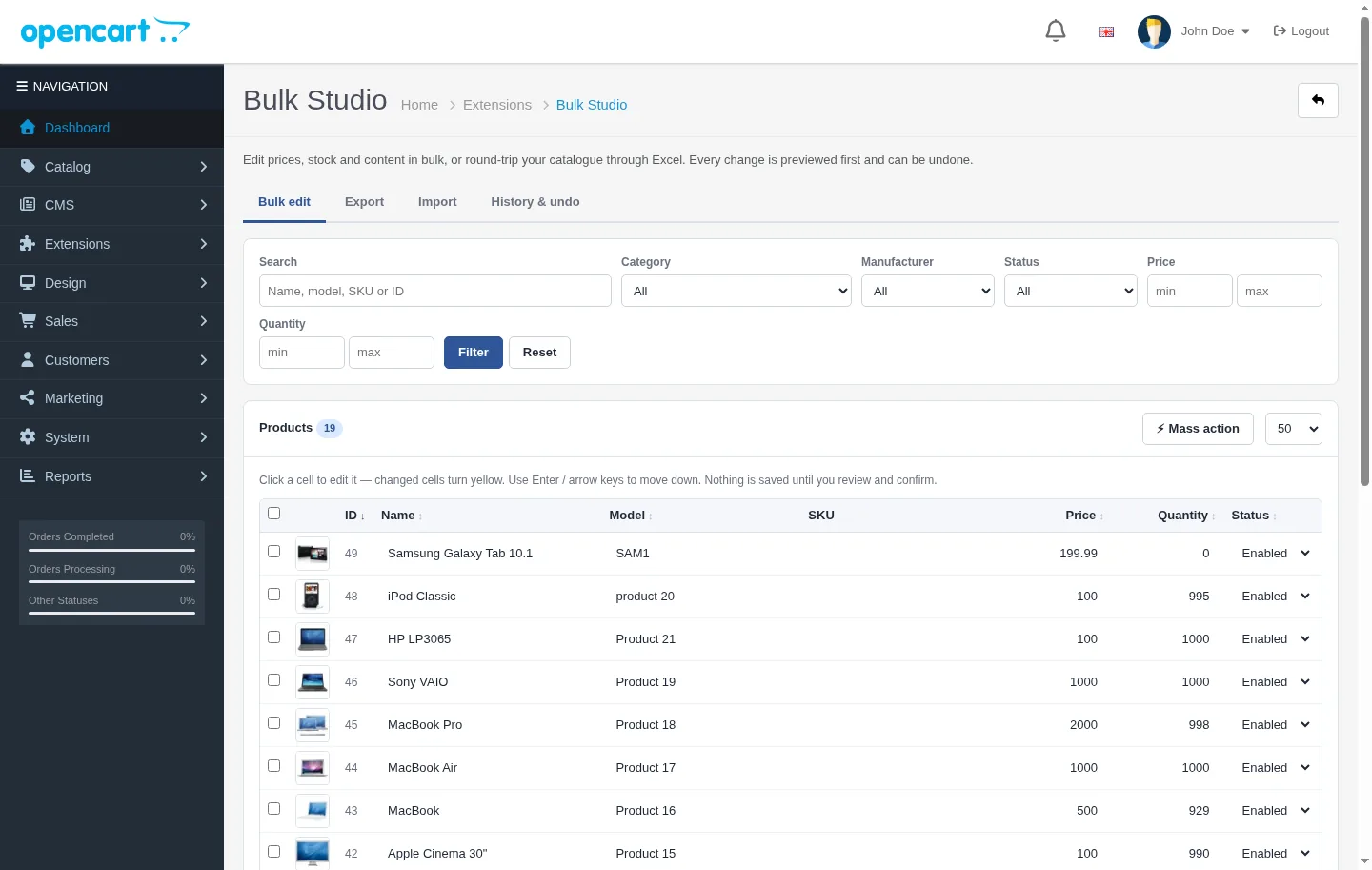
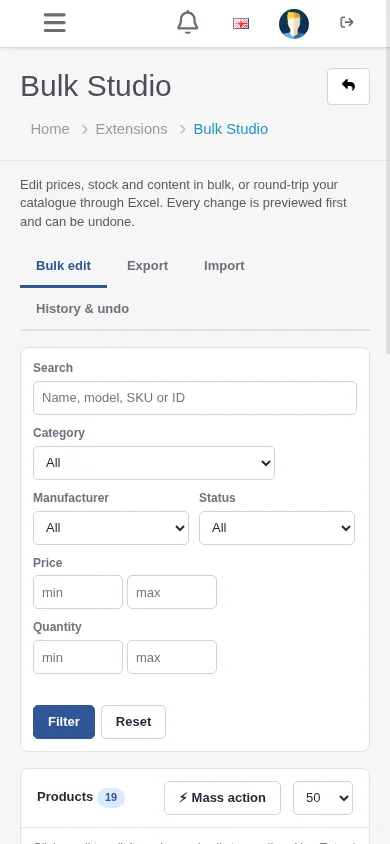
Filter products and edit name, model, SKU, price, quantity and status right in the list. Changed cells are highlighted; nothing is saved until you confirm.
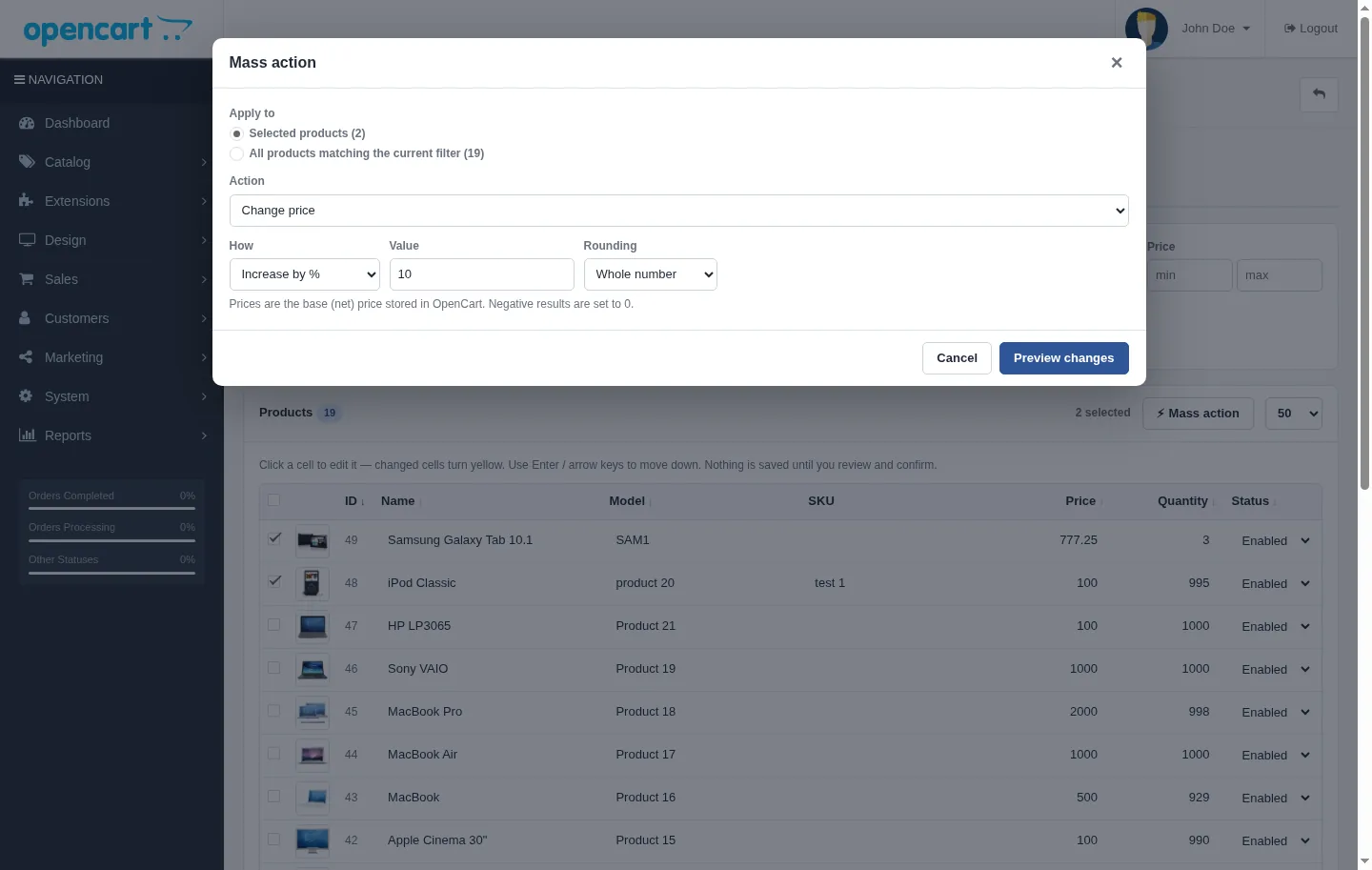
Raise prices by 10 % and round to .99, set stock, enable/disable, change manufacturer, add or remove categories, find & replace in names — on a selection or a whole filter.
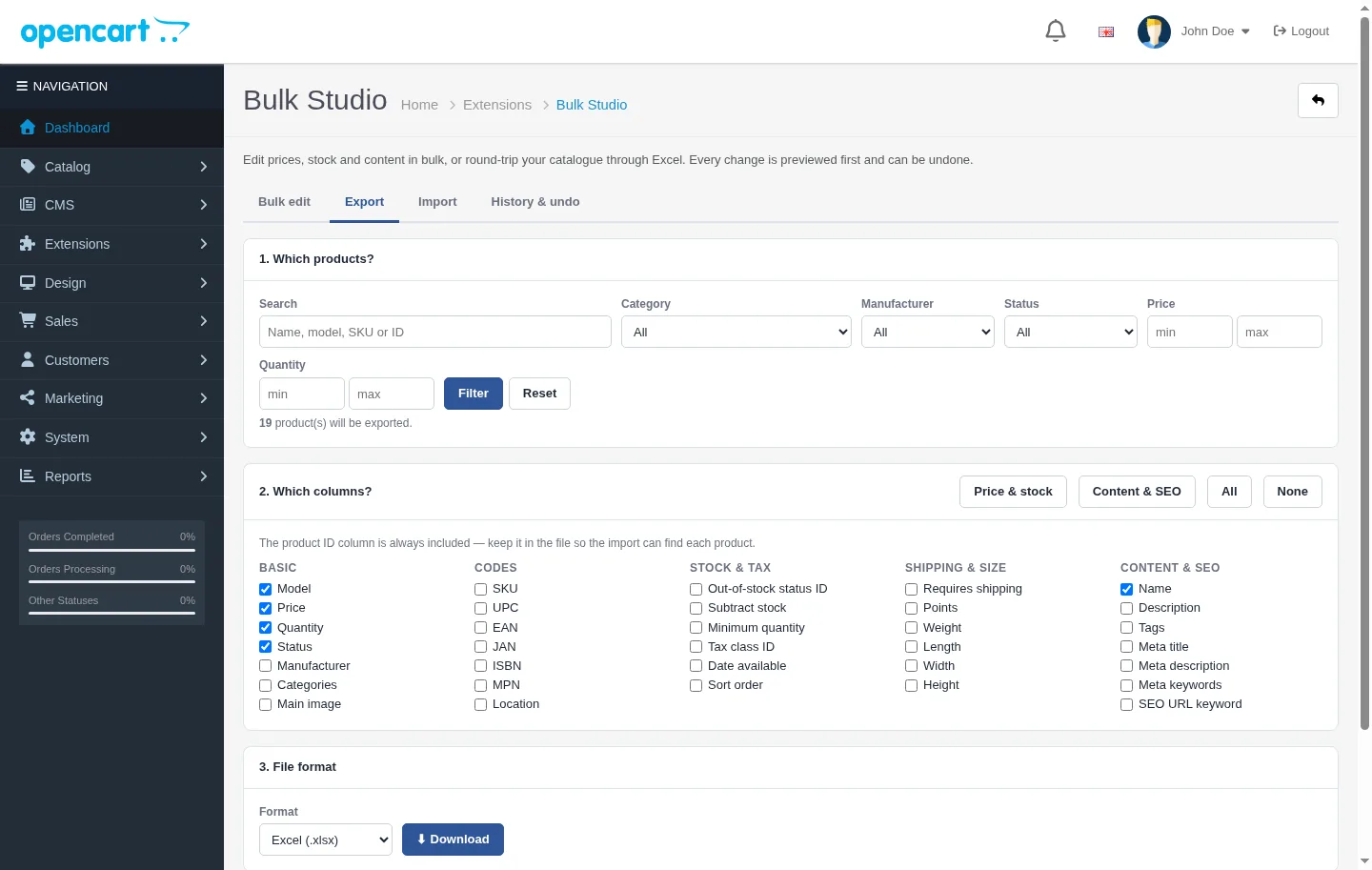
Pick the columns you need — prices, codes, stock, shipping, content and SEO URLs in every language. Real .xlsx with reference sheets for categories and manufacturers.
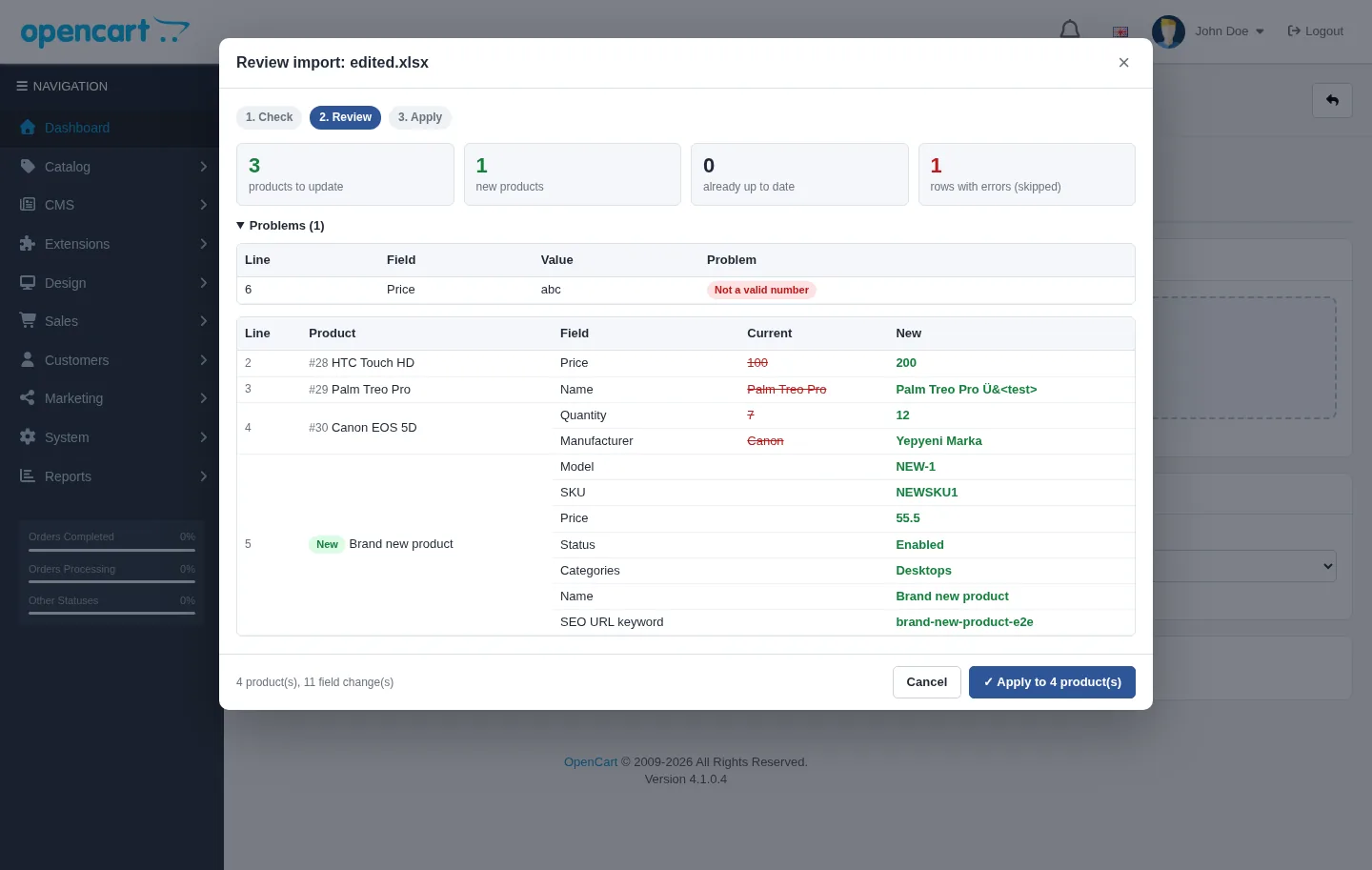
Upload the edited file and see every change, every new product and every problem row before anything is written. Match by ID, model, SKU, EAN, UPC or MPN.
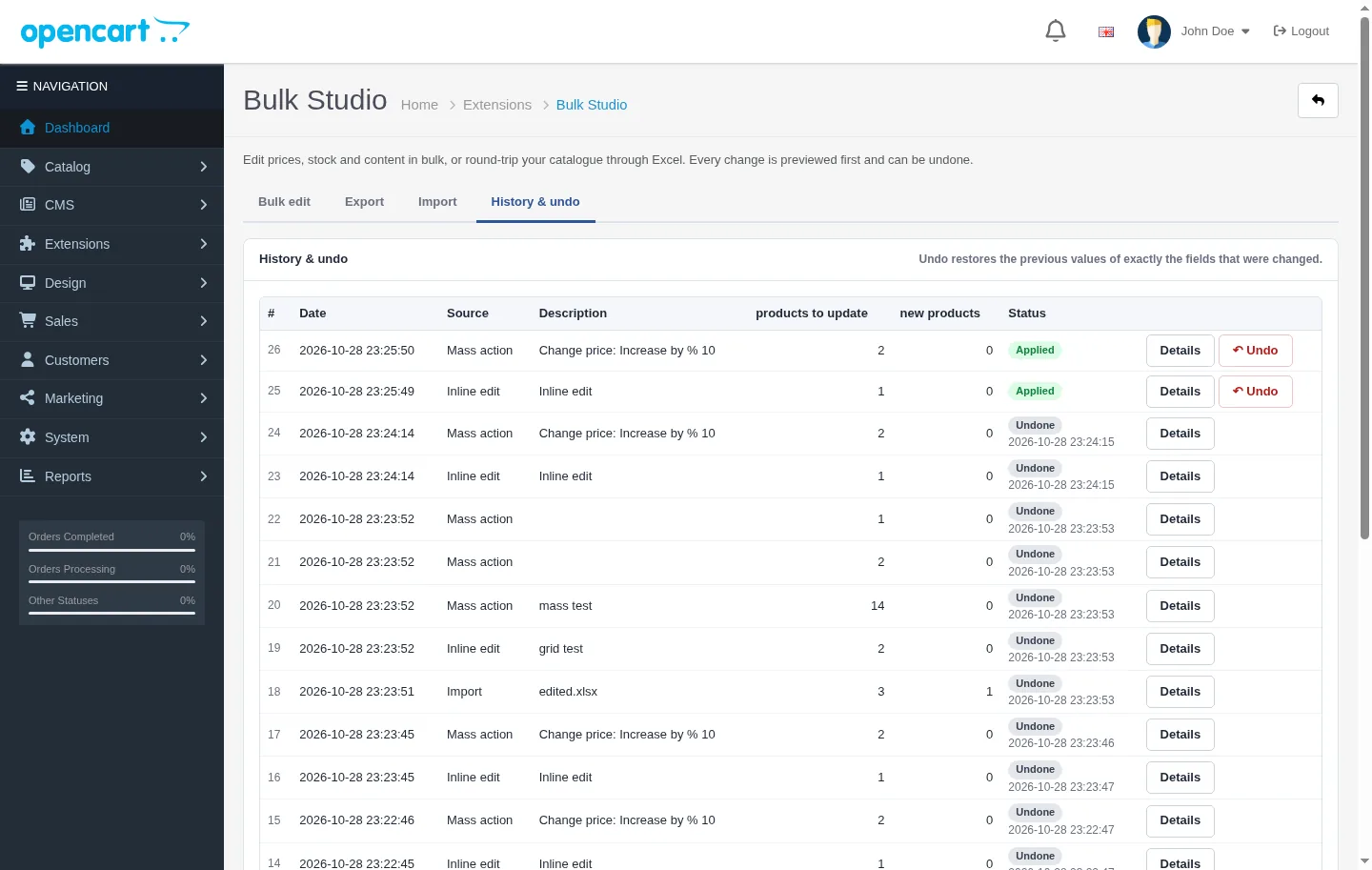
Every import, edit and mass action is logged with the previous values of exactly the fields it touched. Undo restores them — new products created by an import are removed.
Admin-only, no storefront or theme changes, no core file edits. Validates numbers, dates, categories and duplicate SEO URLs. Works in chunks, so large catalogues do not time out.
How it works
The same three steps for inline edits, mass actions and Excel imports.
Edit cells, choose a mass action or upload a spreadsheet.
See current vs. new value for every field, plus any rows that need fixing.
Apply with a progress bar. Changed your mind? Undo it from History.
Live demo — try it before you buy
Log in with demo / demo — the login form is already filled in. Then open Catalog → Bulk Studio. Demo data is reset regularly.
The demo user can try the extension but cannot change store settings. AI features need your own API key, so they are switched off in the public demo.
Screenshots
Taken on clean OpenCart 4.1 and 3.0.5 test stores.
Compatibility
| OpenCart 3.0.x | OpenCart 4.0.2 – 4.1 | |
|---|---|---|
| Package | bulk_studio_oc3.ocmod.zip | bulk_studio.ocmod.zip |
| PHP | 7.1 – 8.4 | 8.0 – 8.4 |
| Install | Extension Installer → Modules → Install | Extension Installer → Modules → Install |
| Core files changed | None | None |
| Storefront / theme changes | None | None |
| SKU / EAN / UPC… | Product table | Product table or 4.1 product codes |
| Multi-language content & SEO URLs | ✓ | ✓ |
Admin languages included
FAQ
Will it overwrite columns I did not include in my file?
No. Only the columns present in the file are changed. Empty cells are ignored by default (you can choose to clear them instead).
Can I import a file from another tool or supplier?
Yes. Common column names (price, qty, stock, brand, barcode…) are recognised automatically, and unknown columns are listed and skipped. CSV with comma, semicolon or tab, UTF-8 or Windows encodings are supported.
What exactly does undo restore?
The previous values of the fields that change touched — including categories, SEO URLs, product codes and the modification date. Products created by an import are deleted. Changes are undone newest-first so nothing newer is lost.
Does it work with large catalogues?
Yes. Changes are applied and undone in chunks with a progress bar, and exports are streamed to disk, so tens of thousands of products are fine on normal hosting.
Who can use it?
It follows OpenCart user group permissions: users with “access” can view and export, users with “modify” can import, edit and undo.