A check-up for your store — and the cleanup that follows.
Care Studio checks security and server settings, finds unused, oversized and missing images, spots gaps in your catalogue, cleans caches, logs and old database records, and groups your error log. Every image change can be undone.
Fast, tidy and safe
Everything a store collects over the years — sorted out in a few clicks.
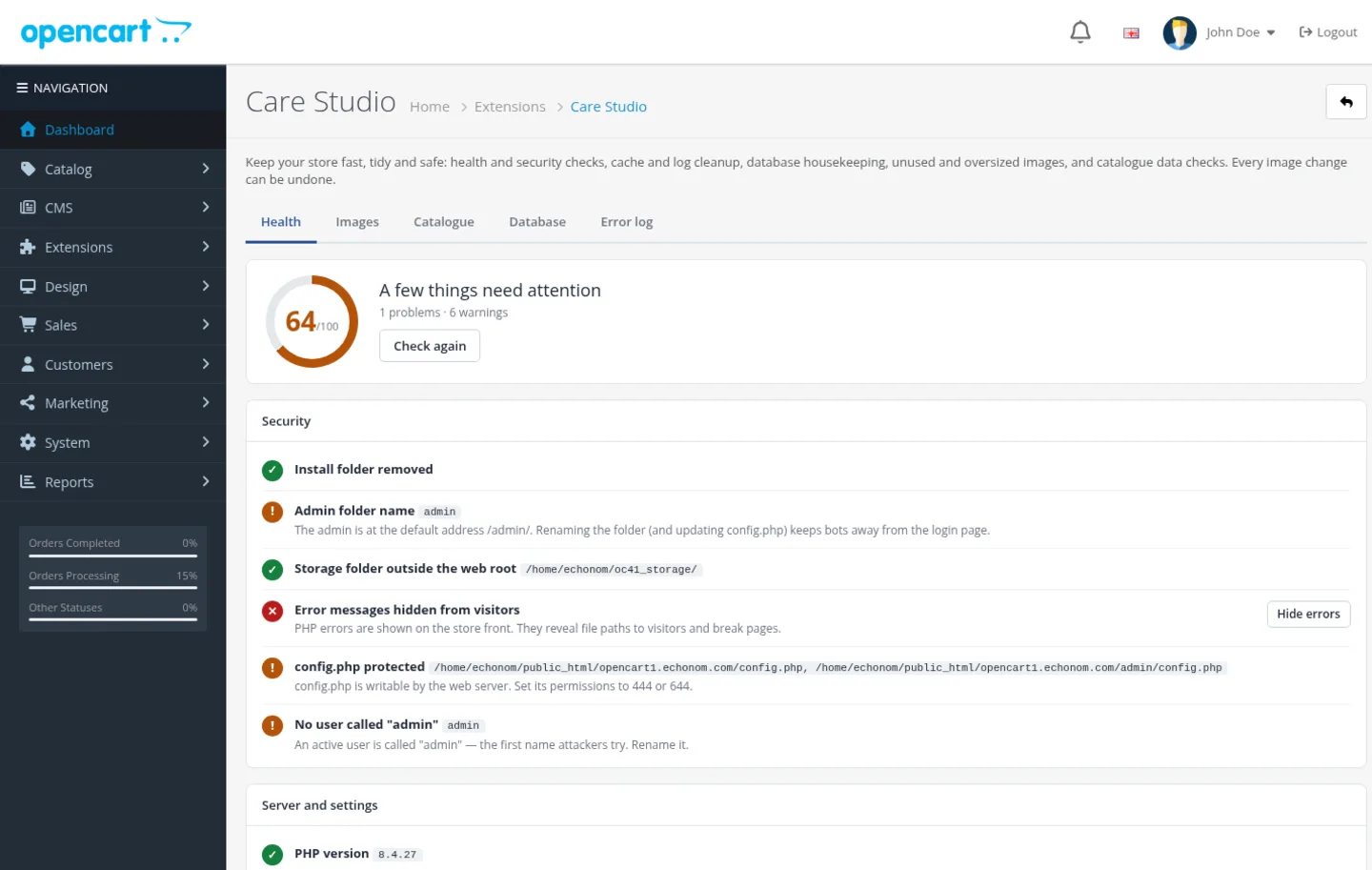
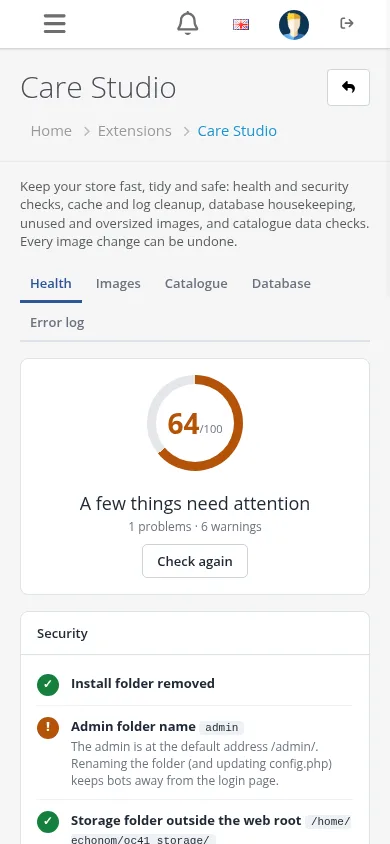
More than 20 checks with a score from 0 to 100, plain explanations and one-click fixes where they are safe.
Leftover install folder, default admin address and user name, visible PHP errors, writable config files, storage in the web root.
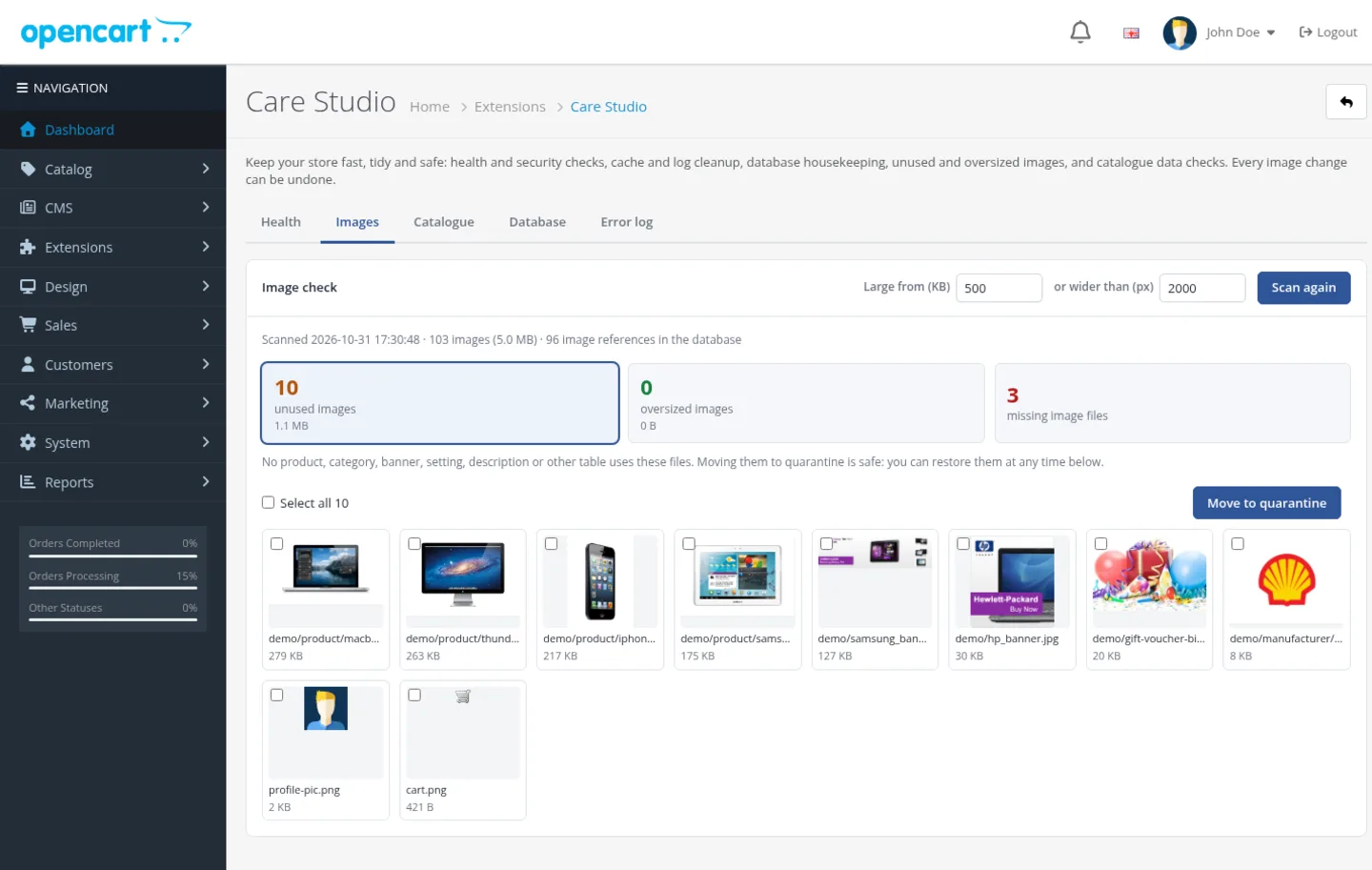
Finds images no product, category, banner, setting, description, theme or other extension uses — and images that are used but missing. Unused ones go to a restorable quarantine.
Shrinks oversized originals and re-saves them smaller. The original is kept and can be restored; cached copies are refreshed.
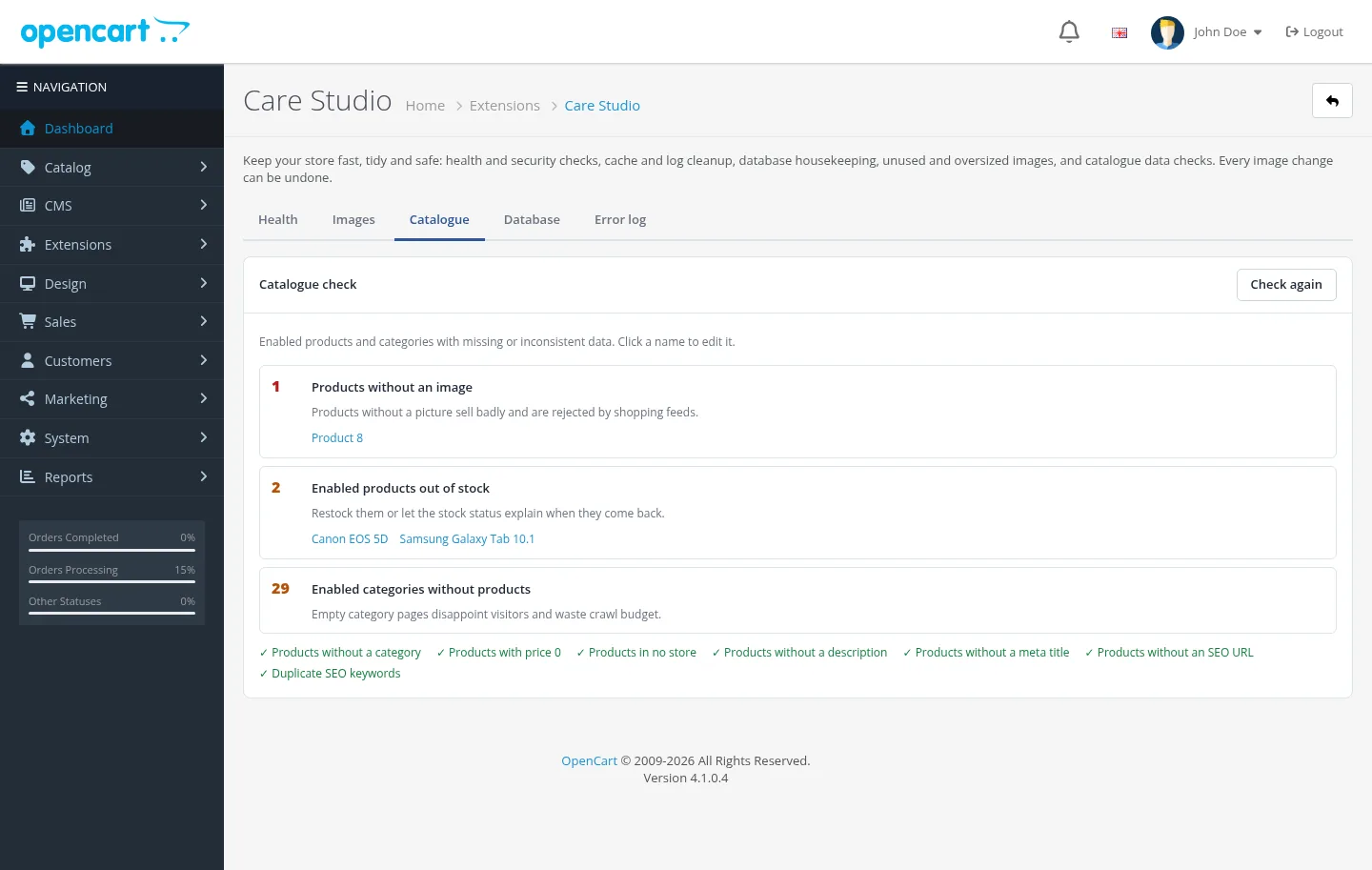
Products without image, category, description, meta title or SEO URL, price 0, duplicate SEO keywords and empty categories — each linked to its edit page.
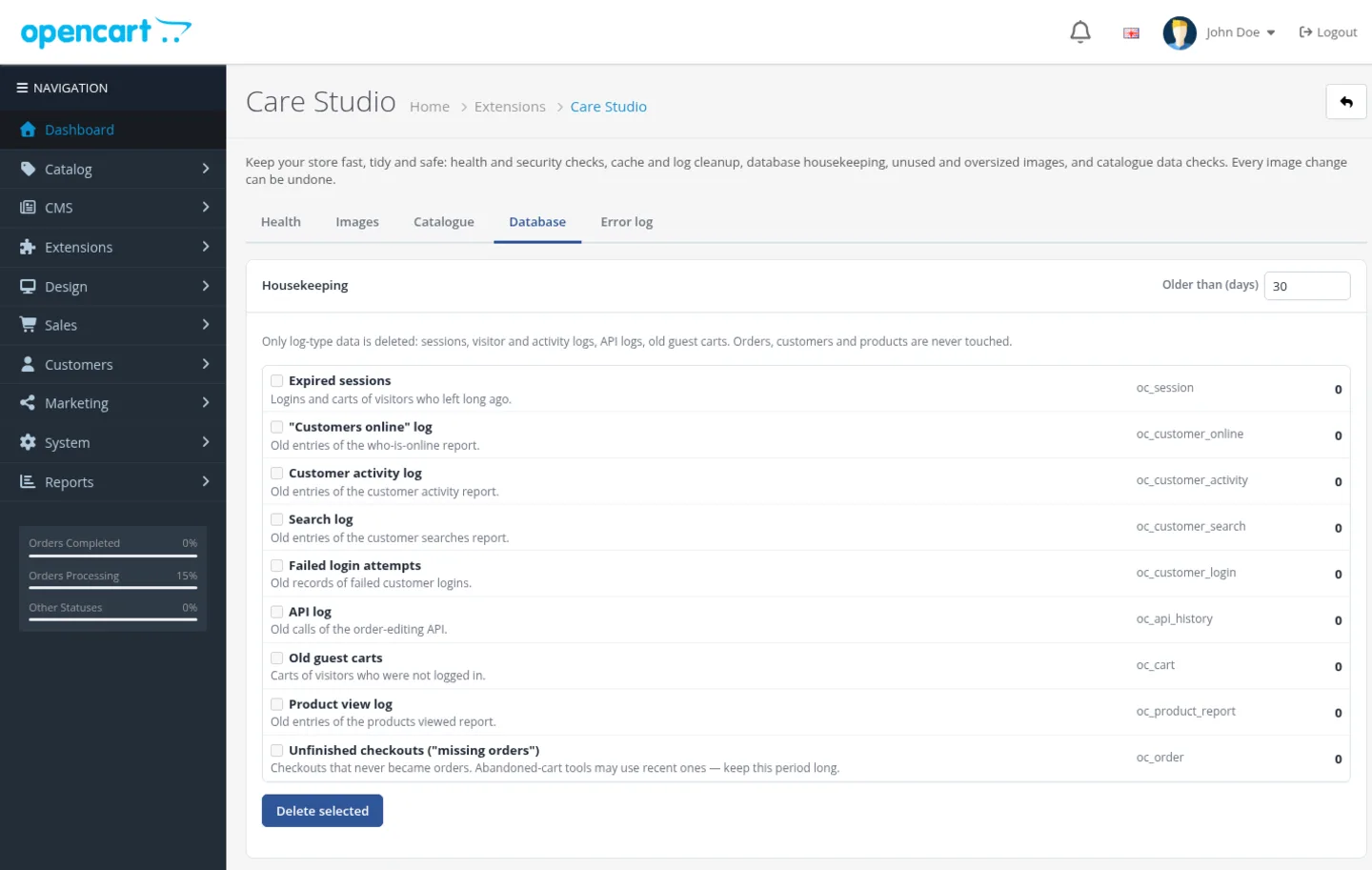
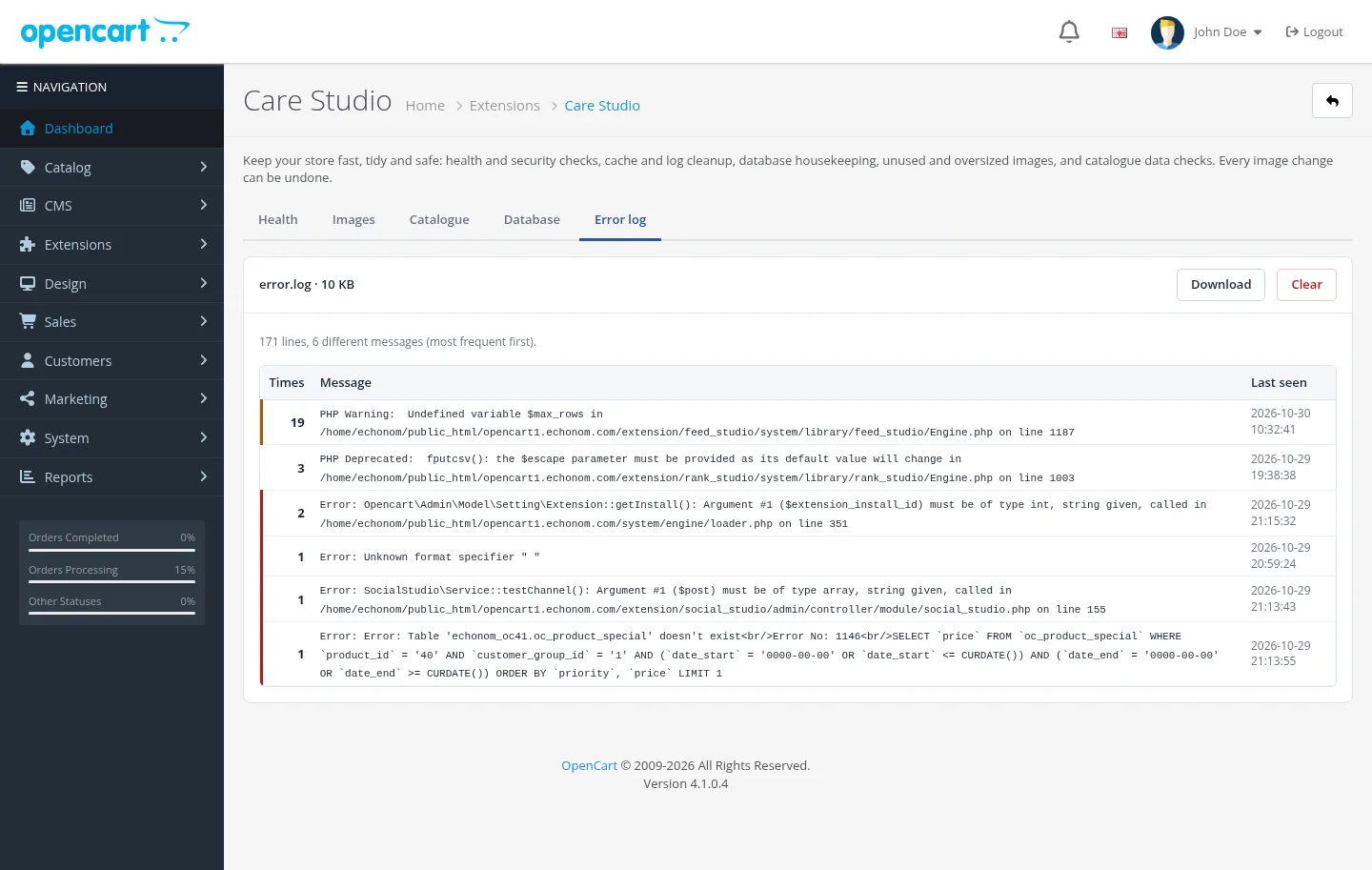
Cleans expired sessions and old log tables, optimises tables, converts MyISAM to InnoDB and groups the error log by message.
What it checks
| Area | Checks | Action |
|---|---|---|
| Security | install folder, admin folder, admin user, error display, config files, storage | explanation, hide errors in one click |
| Server | PHP version, memory and time limits, upload size, extensions, mail, SEO URLs | explanation |
| Images | unused, oversized and missing files | quarantine, optimise, restore |
| Catalogue | missing data, zero prices, duplicate SEO keywords, empty categories | links to the edit pages |
| Database | size, unused space, MyISAM tables, old sessions and logs | clean, optimise, convert |
| Disk and logs | image cache, system cache, error log | clear, download, group by message |
Live demo — try it before you buy
Log in with demo / demo — the login form is already filled in. Open System → Care Studio: see the health score, scan the images and check the catalogue. Changes are disabled in the demo.
The demo user can look at every check but cannot change or delete anything.
Screenshots
Taken on an OpenCart 4.1 test store.
Compatibility
| OpenCart 3.0.x | OpenCart 4.0.2 – 4.1 | |
|---|---|---|
| Package | care_studio_oc3.ocmod.zip | care_studio.ocmod.zip |
| PHP | 7.1 – 8.4 | 8.0 – 8.4 |
| Undo for image changes | ✓ | ✓ |
| Languages | English, Türkçe, Deutsch, Français, Español, Italiano, Português (BR), Русский, العربية | |
| Core / theme changes | None | None |
FAQ
Can it delete an image I still need?
It searches every table of your database, your theme files and extension templates for image paths. Images are never deleted directly: they go to a quarantine folder first, and Restore puts them back exactly where they were.
Does it delete orders or customers?
No. Database cleanup only touches log-type data: expired sessions, visitor and activity logs, API logs and old guest carts — each with a count before you confirm.
Will optimising lower the image quality?
Only oversized originals are resized to the maximum size you choose, re-saved at the JPEG quality you set, and replaced only when the result is smaller. The original stays in quarantine and can be restored.
Does it work on small shared hosting?
Yes — it runs inside your admin with no extra services, and checks the PHP memory limit before resizing large images, skipping those that would not fit.