Your products on Google Shopping, Facebook, Pinterest, TikTok and Yandex.
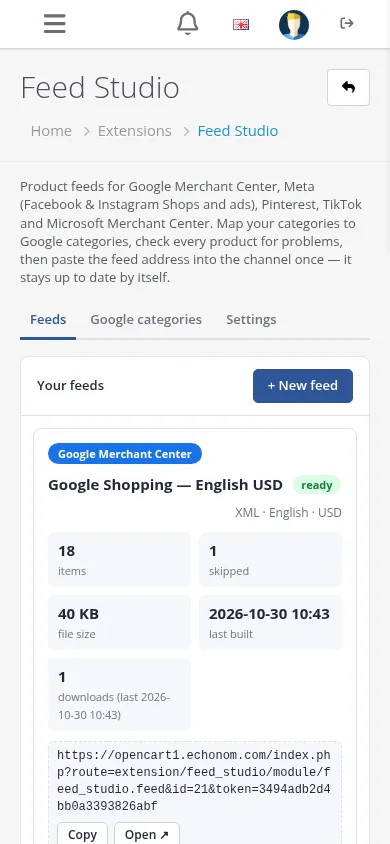
Feed Studio builds product feeds for every major shopping channel, checks each product for the problems that get it rejected and maps your categories to Google’s. Paste the feed address into the channel once — prices, specials and stock follow by themselves.
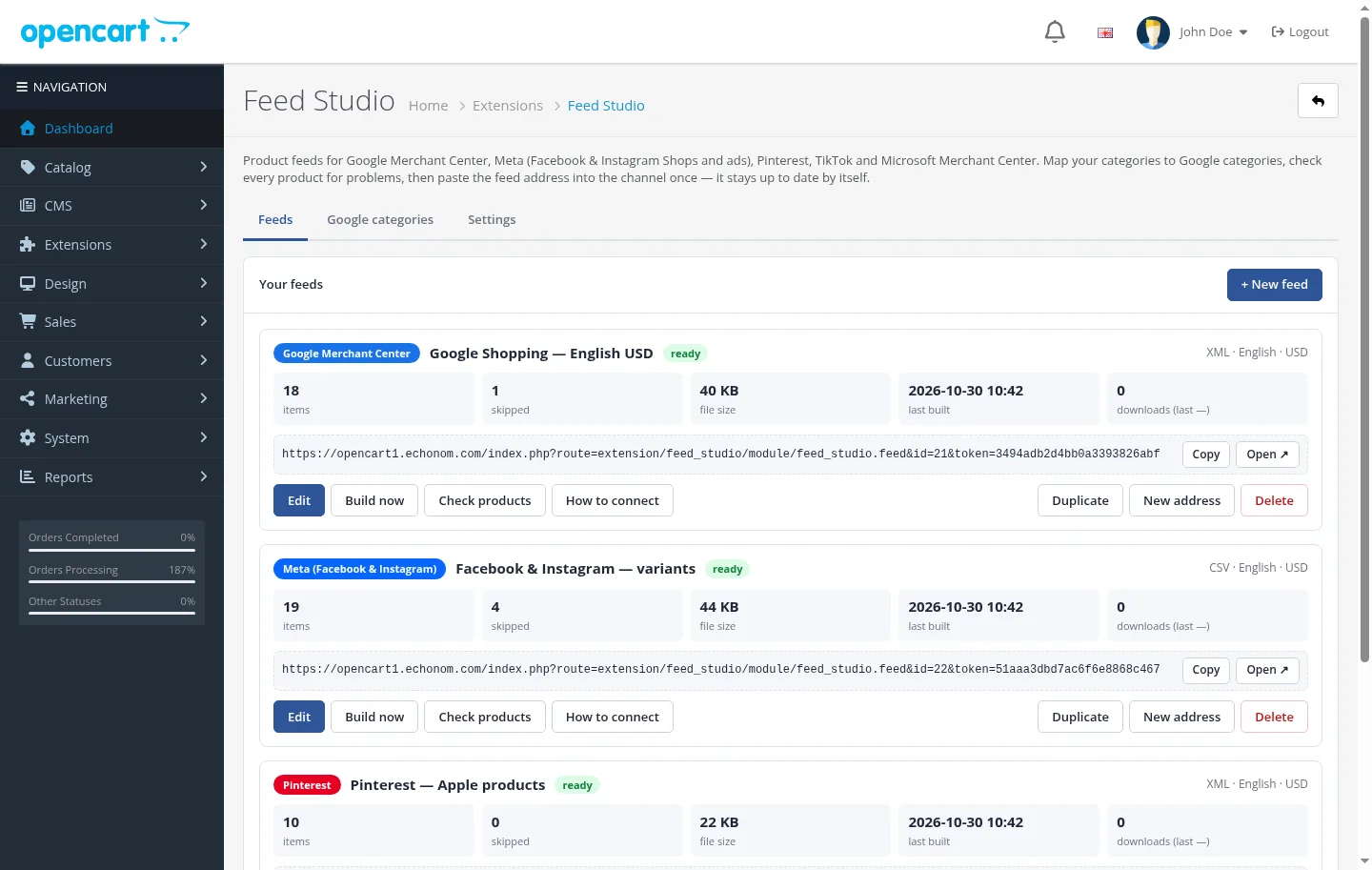
Feeds that the channels accept
Correct data, checked before you submit it.
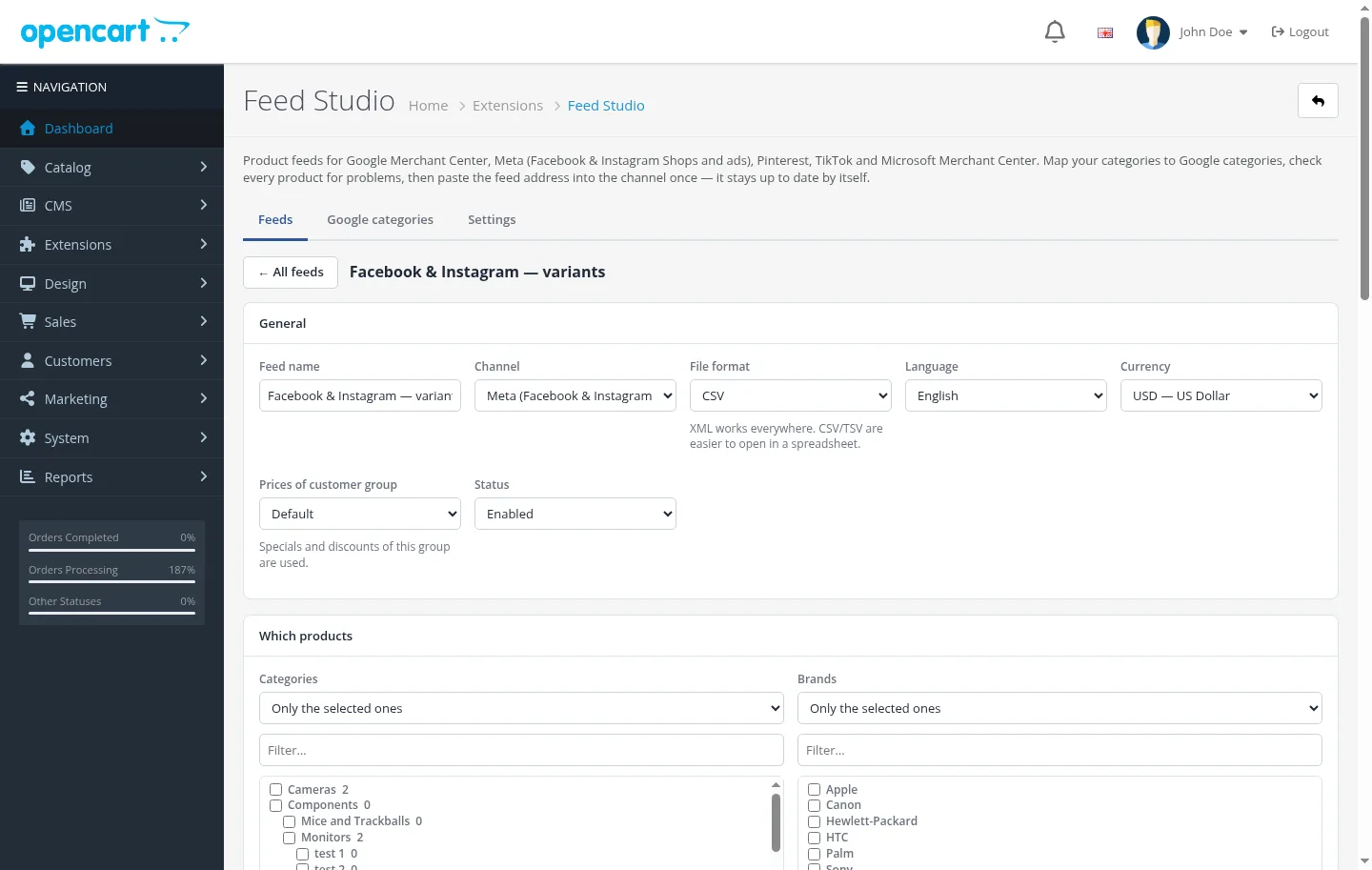
Google Merchant Center, Meta (Facebook & Instagram), Pinterest, TikTok, Microsoft Merchant Center and Yandex Market — in XML, Yandex YML, CSV or TSV, one feed per language, currency, store or customer group.
Taxes of your store address, specials as sale price with start and end dates, quantity-1 discounts and any currency.
Split products by size or colour into grouped items with their own price and stock. Colour, size, material, gender and age group come from your attributes.
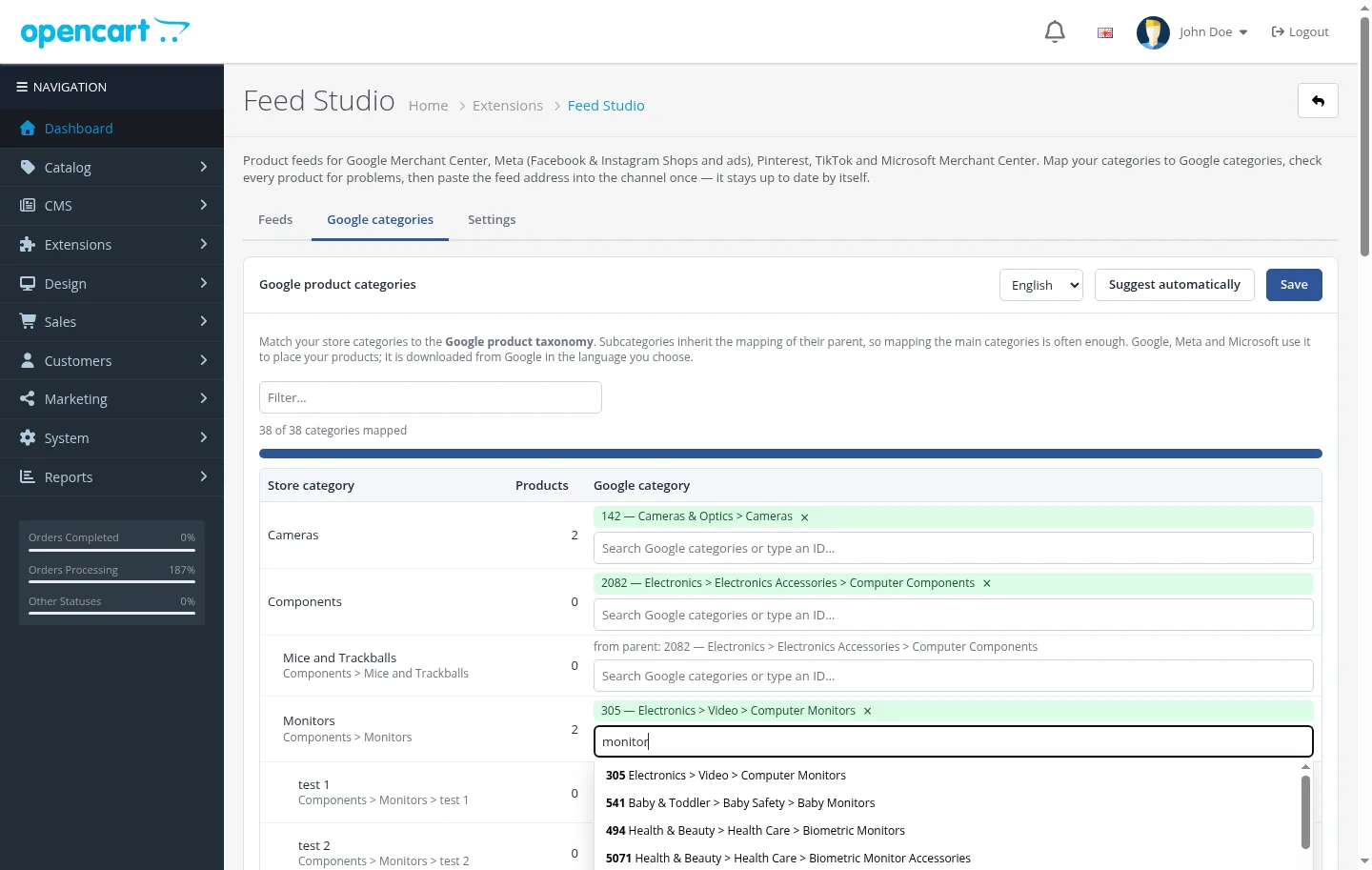
Search the official Google product taxonomy in 27 languages, or let “Suggest automatically” match your category names. Subcategories inherit their parent.
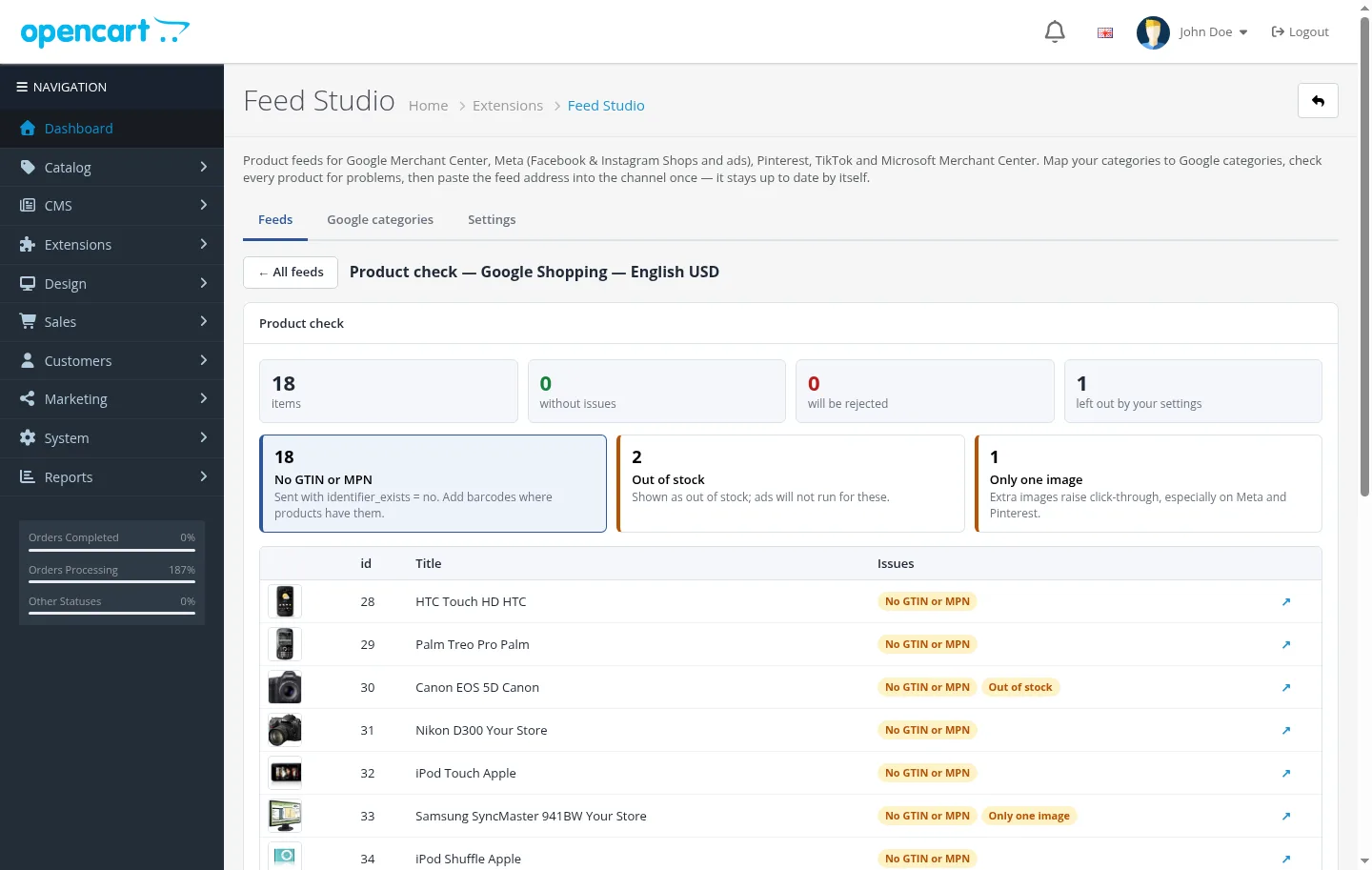
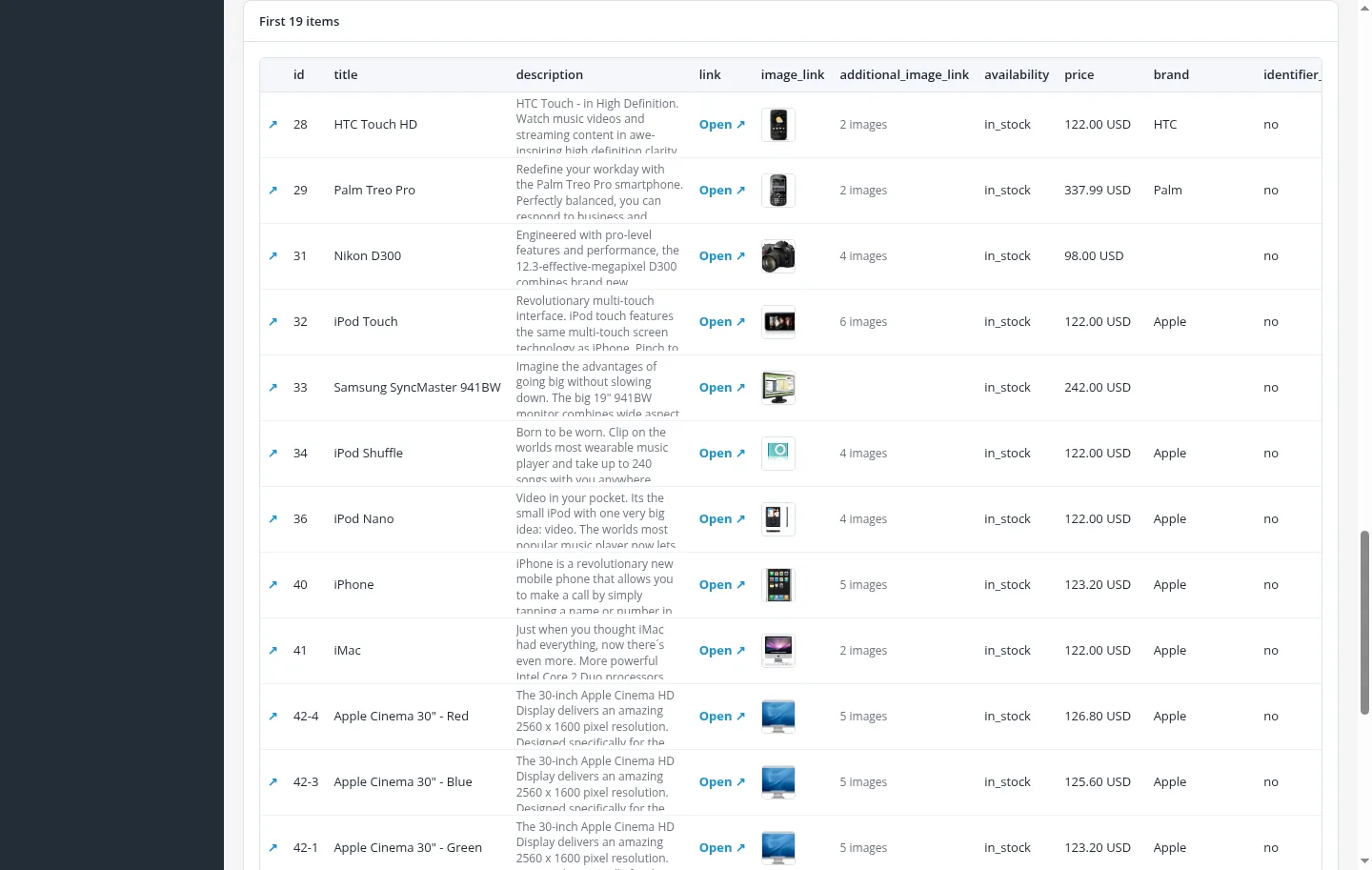
Missing images, zero prices, duplicate IDs, long titles, missing brand, GTIN or Google category — counted, explained and linked to the product.
16,000 products in about five seconds with 10 MB of memory. The feed rebuilds itself when a channel downloads it; an optional cron rebuilds in the background.
Channels
| Channel | Where your products appear | Title limit |
|---|---|---|
| Google Merchant Center | free listings and Shopping ads on Google, YouTube and Gmail | 150 |
| Meta | Facebook & Instagram shops, Advantage+ catalogue ads | 200 |
| Product Pins and shopping ads | 500 | |
| TikTok | catalogue ads and TikTok Shop | 150 |
| Microsoft Merchant Center | Shopping ads on Bing, Yahoo and DuckDuckGo | 150 |
| Every channel | step-by-step “How to connect” inside the extension | shortened at a word boundary |
Live demo — try it before you buy
Log in with demo / demo — the login form is already filled in. Open Marketing → Feed Studio: three sample feeds are ready. Open one, run “Check products” or map a category. Demo data is reset regularly.
The demo user can try the extension but cannot change store settings.
Screenshots
Taken on a clean OpenCart 4.1 test store with the demo catalogue.
Compatibility
| OpenCart 3.0.x | OpenCart 4.0.2 – 4.1 | |
|---|---|---|
| Package | feed_studio_oc3.ocmod.zip | feed_studio.ocmod.zip |
| PHP | 7.1 – 8.4 | 8.0 – 8.4 |
| Feed formats | XML · YML · CSV · TSV | XML · YML · CSV · TSV |
| Languages | English, Türkçe, Deutsch, Français, Español, Italiano, Português (BR), Русский, العربية | |
| Core / theme changes | None | None |
FAQ
Do I need a cron job?
No. When a channel downloads a feed that is older than the cache time (12 hours by default), Feed Studio rebuilds it first. A cron address is available for very large catalogues so channels never wait.
Does it work with my SEO URLs and several stores?
Yes. Product links are created by your store, so they use its SEO URLs. Each feed belongs to one store, language, currency and customer group.
What about products with sizes or colours?
Choose the option to split by: each value becomes its own item with its price and stock, grouped with item_group_id. OpenCart 4 variant products are grouped automatically.
Does it change my storefront or theme?
No. Feed Studio is an admin module; the storefront part is two small endpoints (the feed file and the optional cron) without templates. No core or theme files are modified.