See where your orders come from — free.
Map Studio adds a sales map to your OpenCart dashboard. Choose your own country with its states or provinces, a continent or the whole world, and every region is coloured by its orders or sales. The busiest regions and the total sit next to the map.
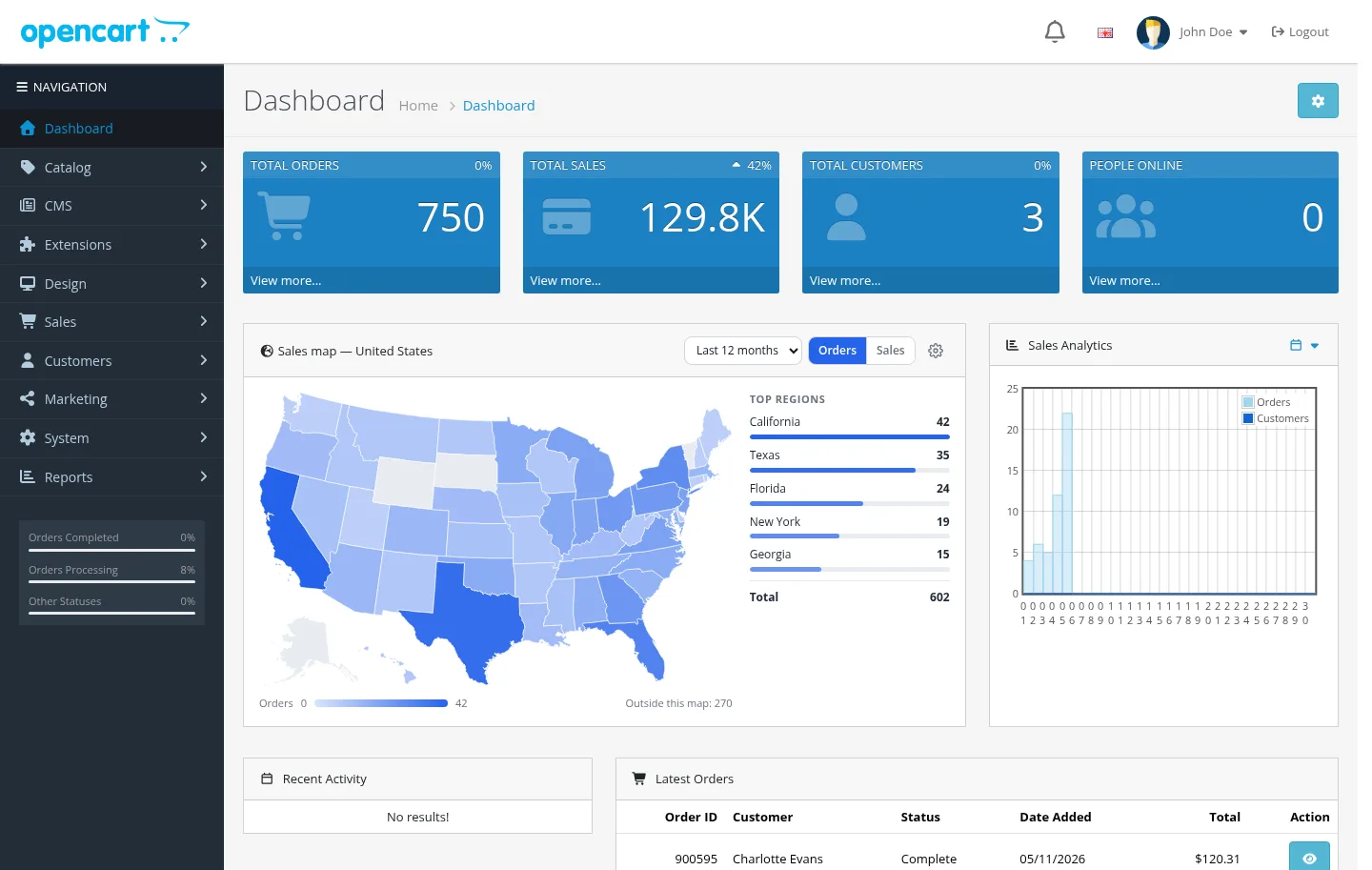
A sales map that fits your store
It replaces OpenCart’s default world map on the dashboard.
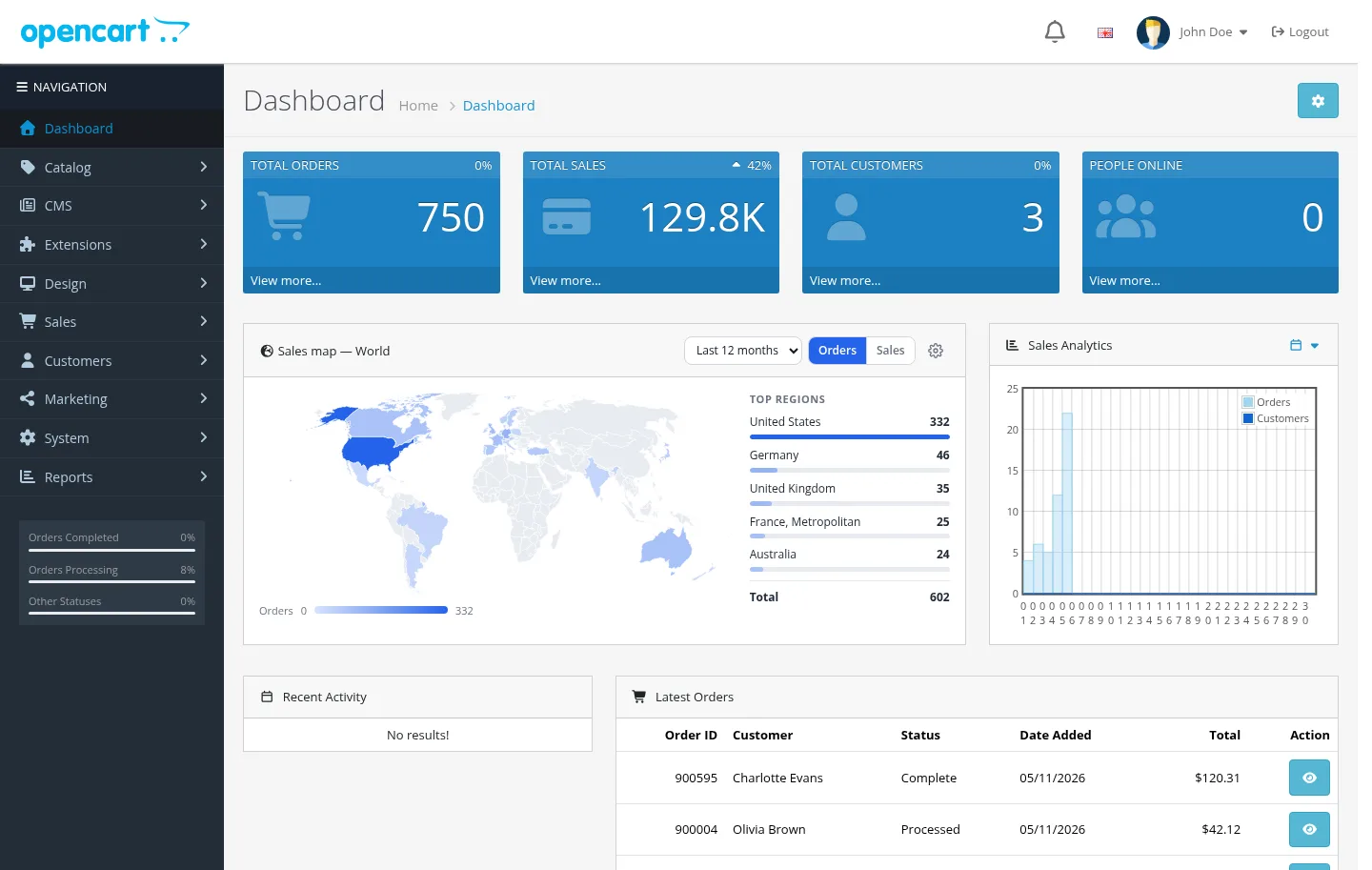
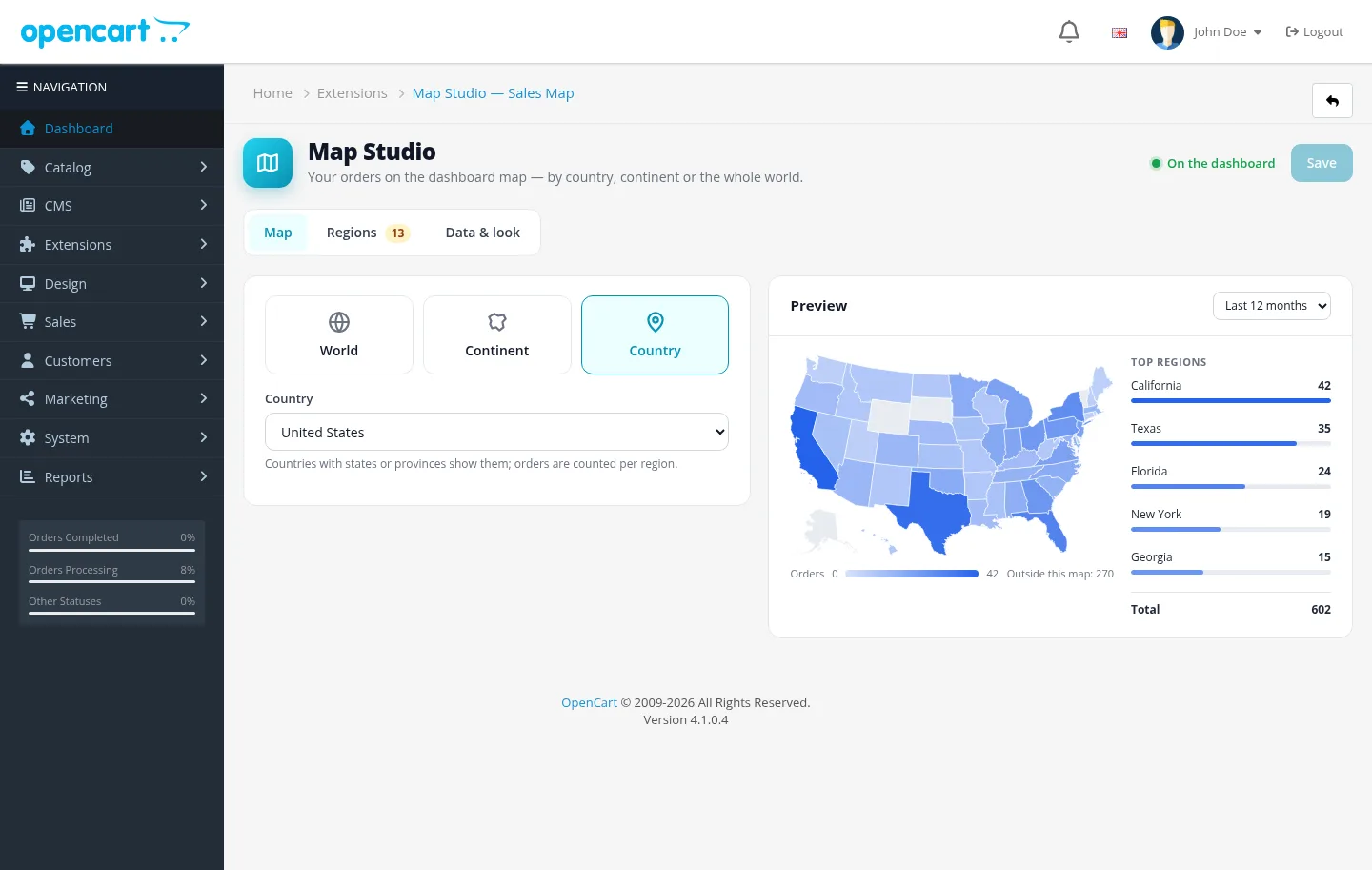
Show the whole world, one of six continents, or one country with its states or provinces — the United States, Germany, Turkey, Canada, Australia and many more.
Colour the regions by order count or by sales amount, and switch between the two right on the dashboard card.
Last 7 days, 30 days, this month, 12 months, this year or all time — counting processing and complete orders, or all of them.
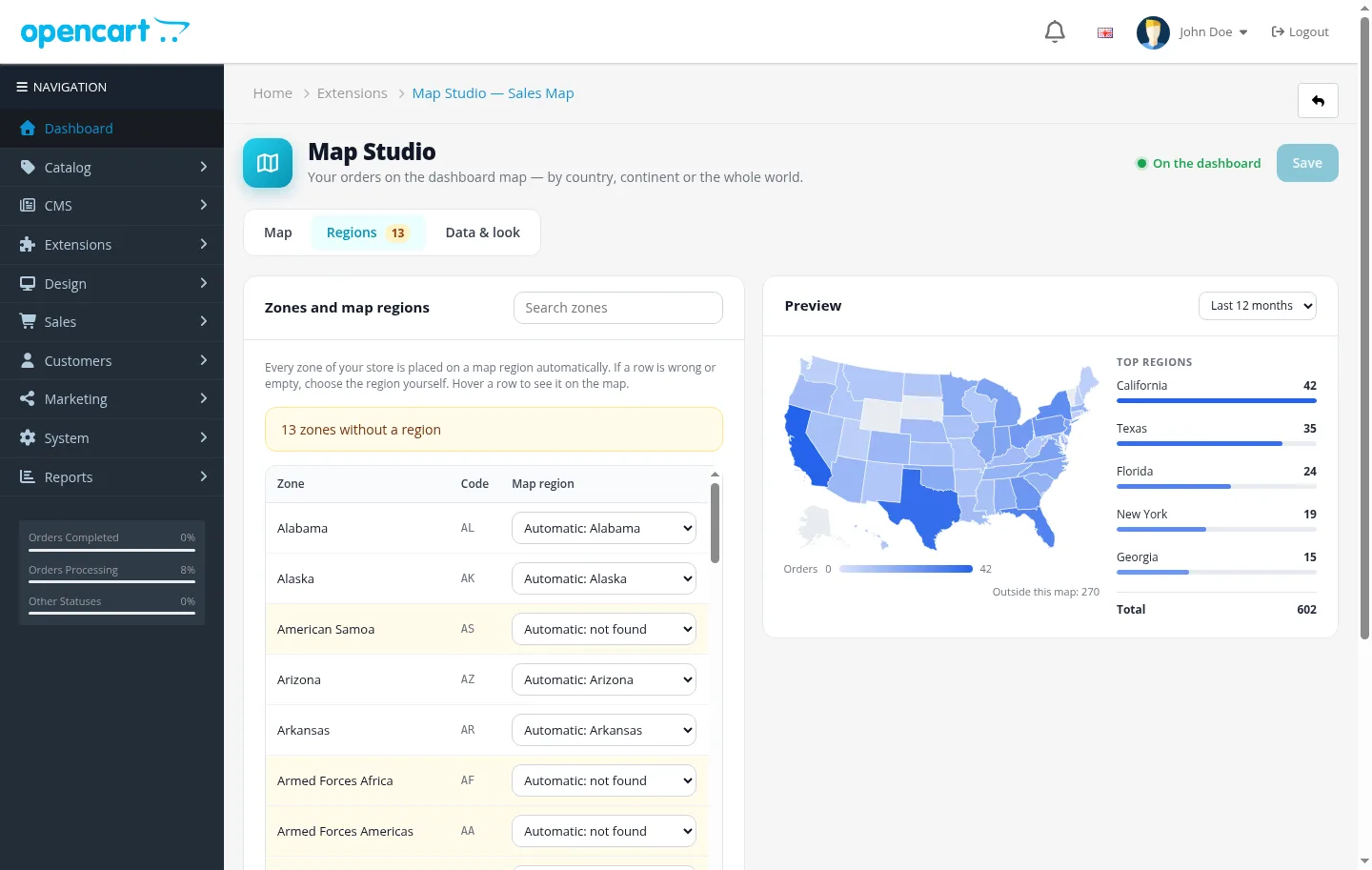
Every zone of your store is matched to its map region. A clear list shows the result, and any row can be changed by hand.
The busiest regions with their numbers next to the map, the total, and the orders that fall outside the map.
When the Sales Analytics card sits next to the map, Map Studio adds a short table below its chart: orders, customers and sales for today, 7 days, this month and more.
Maps and settings
| Setting | What it shows | Options |
|---|---|---|
| World | every country | 1 map |
| Continent | the countries of one continent | 6 continents |
| Country | the states, provinces or regions of one country | United States, Germany, Turkey, Canada, Australia … |
| Measure | order count or sales amount | switch on the card |
| Period | 7 days, 30 days, this month, 12 months, this year, all time | 6 periods |
| Orders | processing and complete orders, or all orders — by delivery or billing address | your choice |
Live demo — try it before you install
Log in with demo / demo — the login form is already filled in. The map is on the dashboard; the settings are under Extensions → Extensions → Dashboard → Map Studio.
The demo user can look at every setting but cannot save changes.
Screenshots
Taken on a clean OpenCart 4.1 test store with sample orders.
Compatibility
| OpenCart 3.0.x | OpenCart 4.0.2 – 4.1 | |
|---|---|---|
| Package | map_studio_oc3.ocmod.zip | map_studio.ocmod.zip |
| PHP | 7.1 – 8.4 | 8.0 – 8.4 |
| Replaces the default world map | ✓ | ✓ |
| Languages | English, Türkçe, Deutsch, Français, Español, Italiano, Português (BR), Русский, العربية | |
| Core / theme / storefront changes | None | None |
FAQ
Is it really free?
Yes. Map Studio is free on the OpenCart Marketplace, without limits or a paid version.
Does it need a map service or an API key?
No. The maps are bundled with the extension (Natural Earth, public domain), so nothing is loaded from other servers.
What happens to OpenCart’s world map?
It is switched off while Map Studio is on, and it comes back when you switch Map Studio off or remove it.
Does it change my storefront or theme?
No. Map Studio is a dashboard extension and only works in the admin. No core or theme files are modified.