Know what your store really earns.
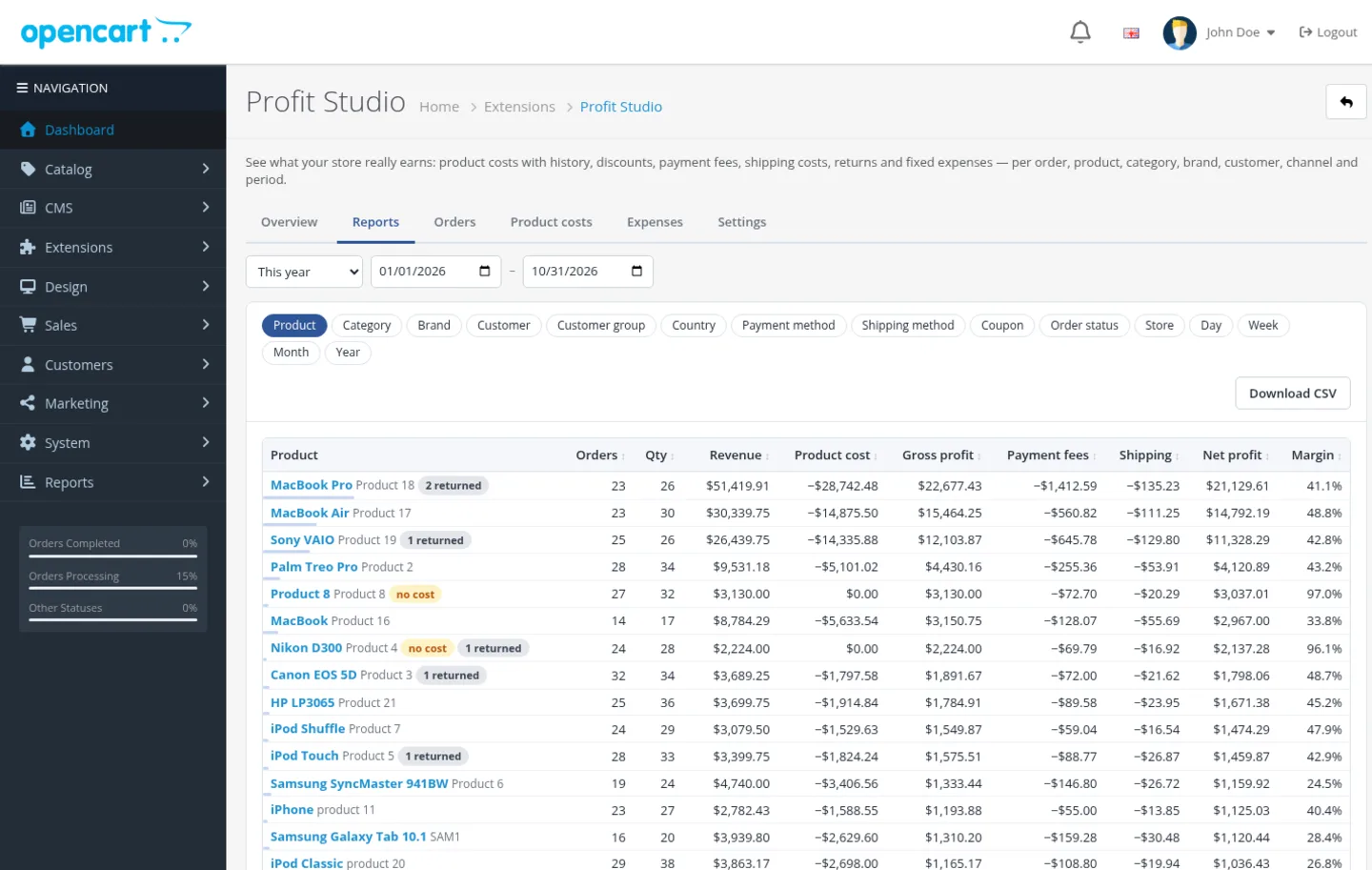
Revenue is not profit. Profit Studio takes product costs, discounts, payment fees, shipping costs, returns and fixed expenses into account and shows your real profit — per order, product, category, customer and month. It reads your existing orders, so the past year is there the moment you install it.
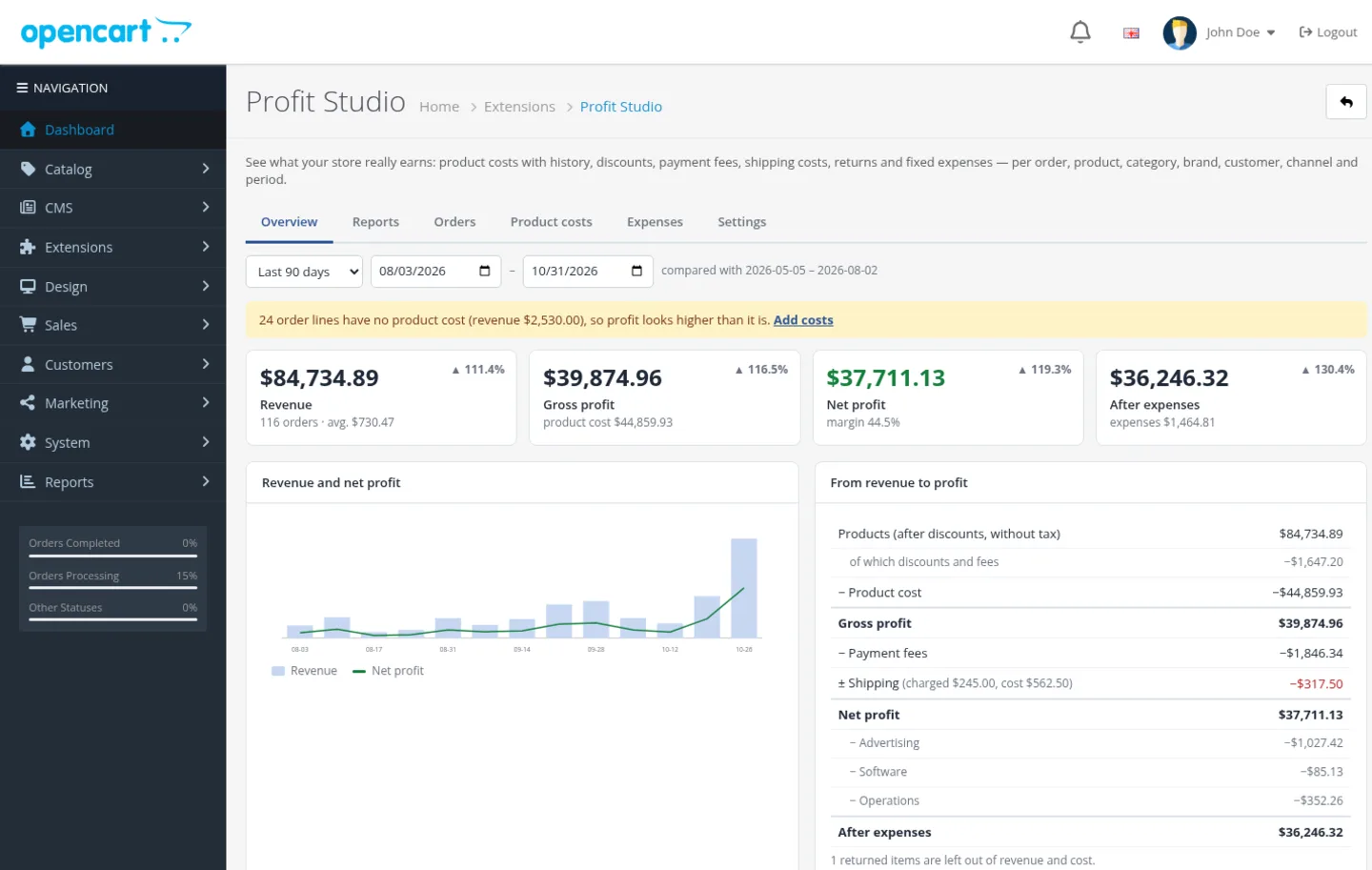
Profit, not just sales
Every cost in its place — with nothing to change in your store.
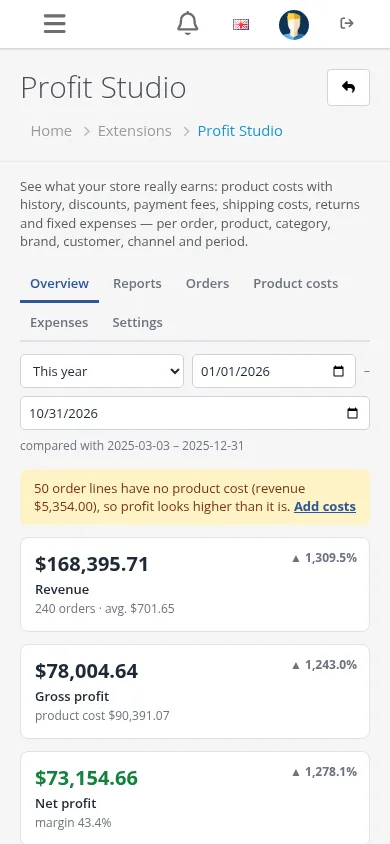
Revenue, gross profit, net profit and profit after expenses, compared with the previous period, with a chart and the products that earn or lose the most.
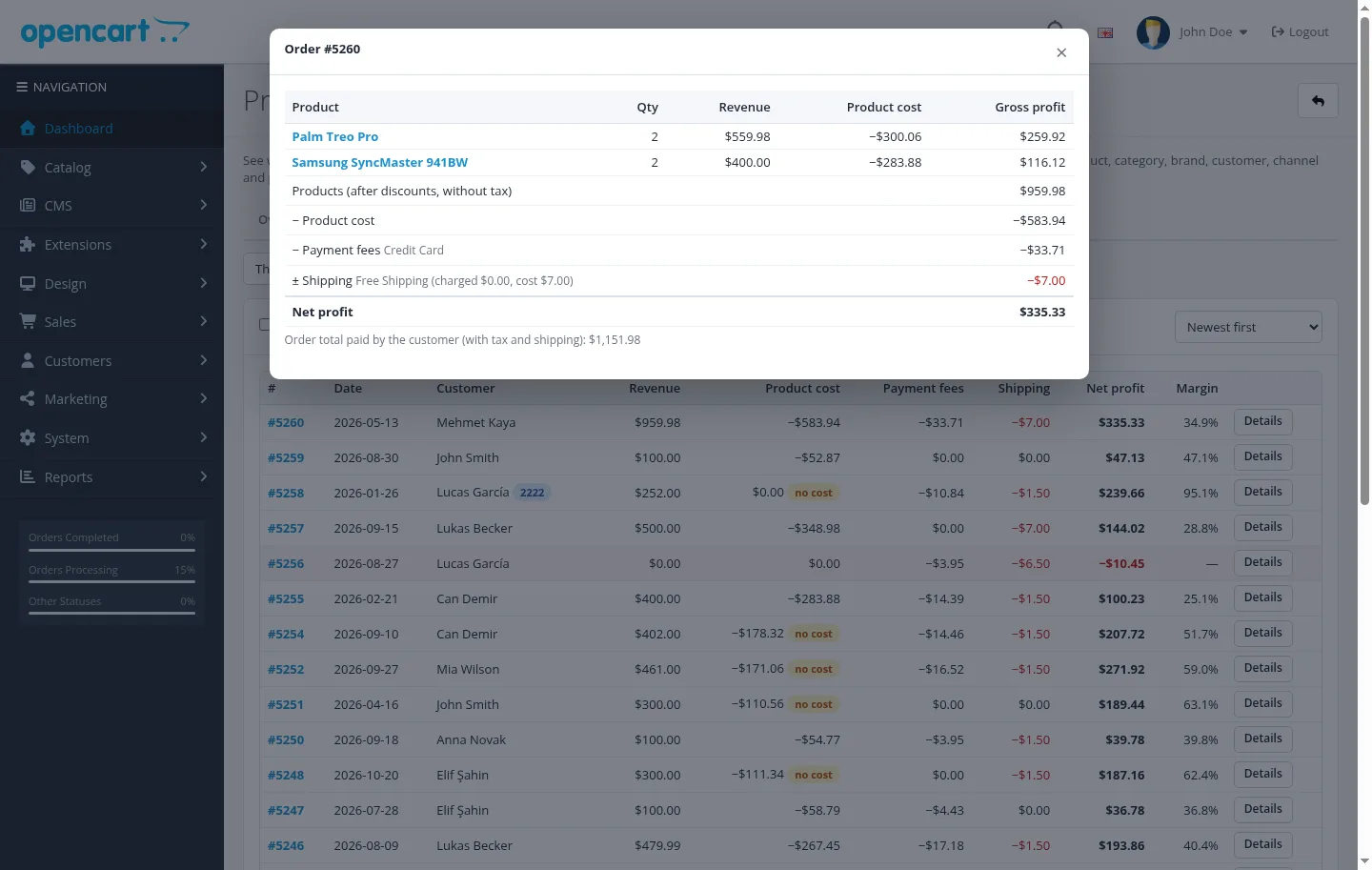
The profit of each order with its discounts, product cost, payment fee and shipping result — and a filter for orders that lost money.
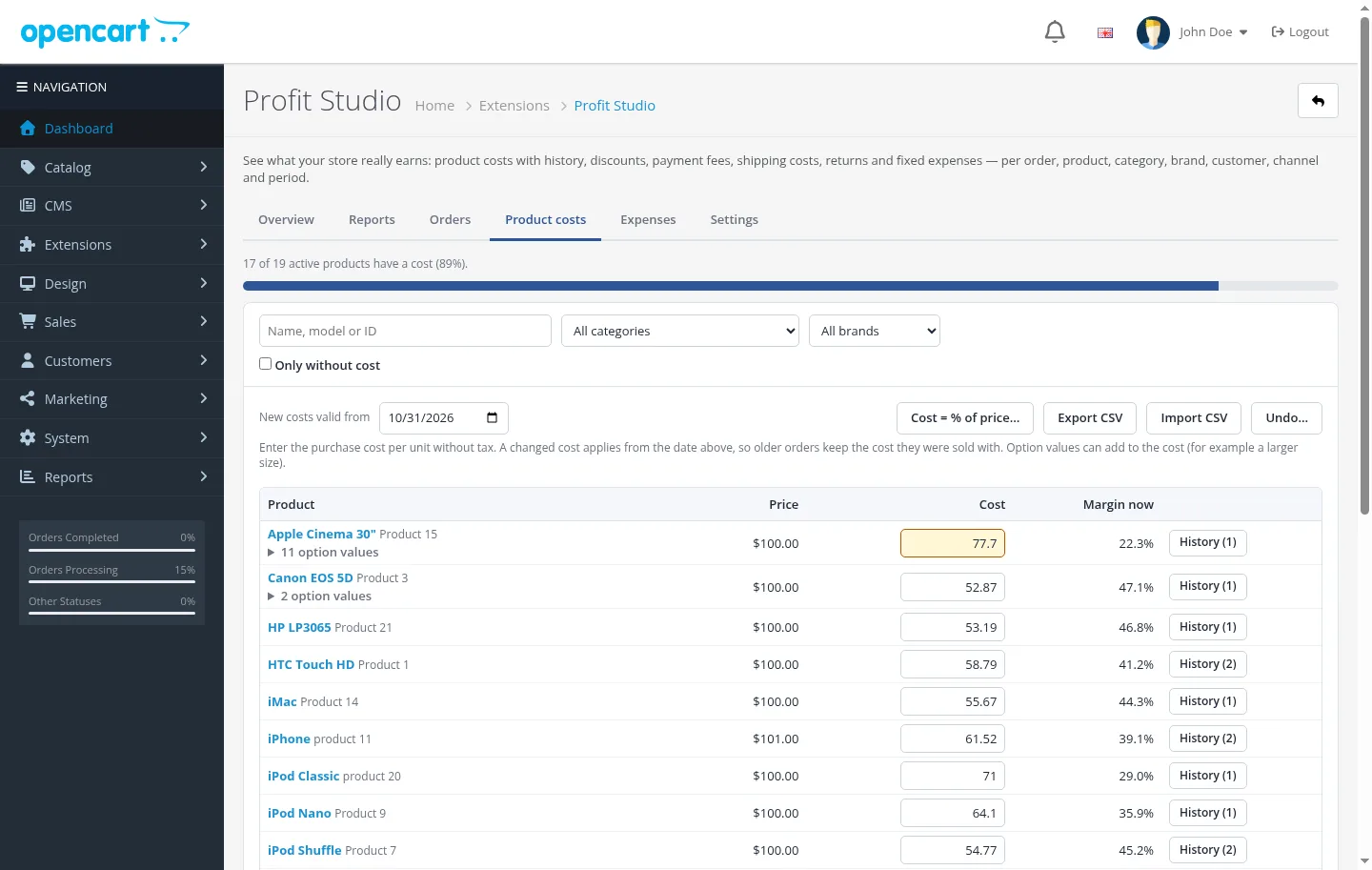
A new purchase price applies from a date you choose; older orders keep the cost they were sold with. Options can add to the cost.
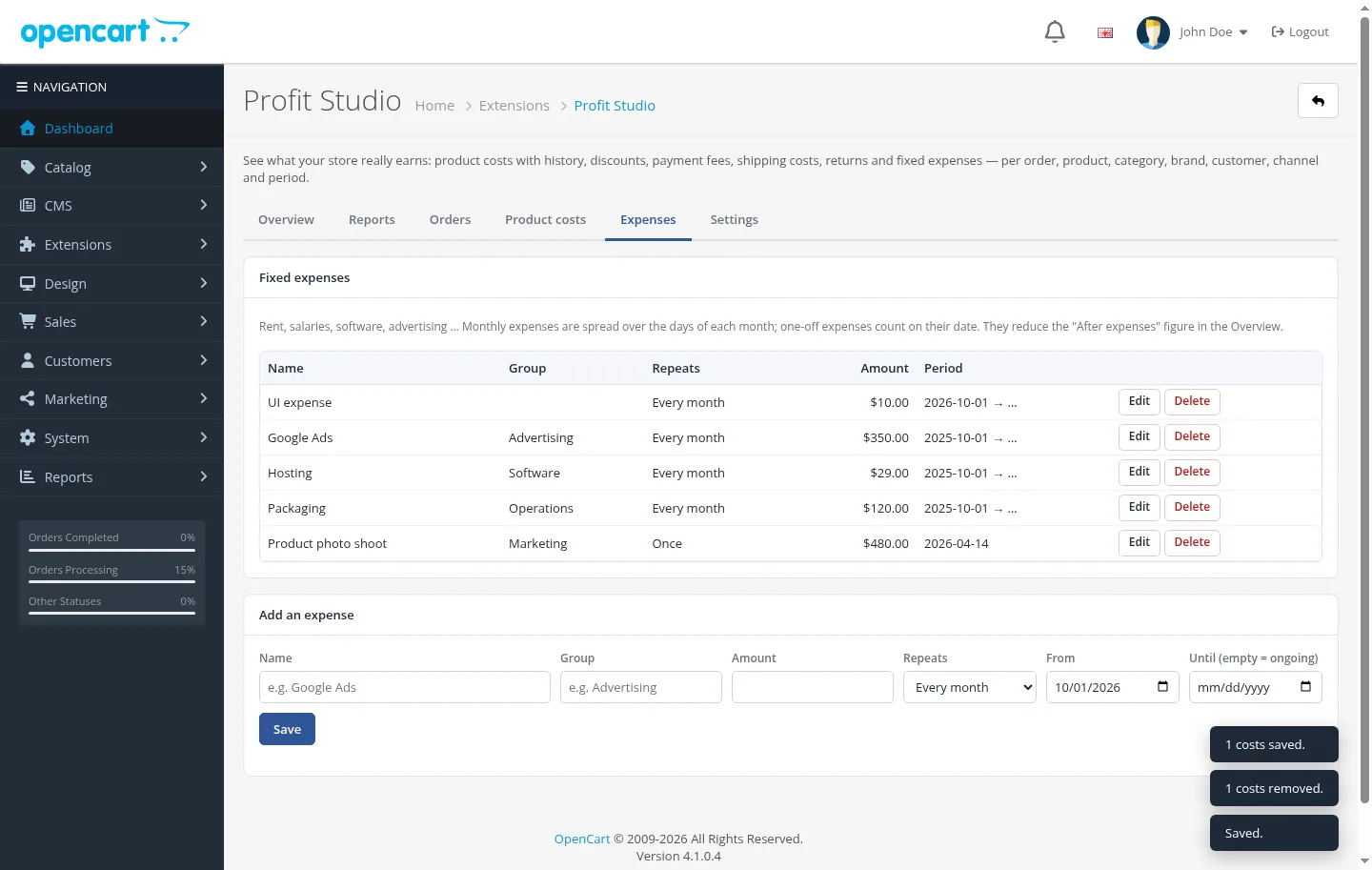
Payment fees per method (percent and fixed), the real shipping cost per method, returns and coupons shared out fairly over the order lines.
Fast grid with live margin, “cost = % of price” for whole categories, CSV import / export, copy from an existing column — and undo for every change.
A year of 24,000 orders is analysed in about a second per report with under 10 MB of memory. Nothing is written to your order tables.
Reports
| Report | Shows | Answers |
|---|---|---|
| Product | quantity, revenue, cost, profit and margin per product | Which products pay the bills? |
| Category & brand | the same, grouped | Where should the ad budget go? |
| Customer & group | orders and profit per customer | Who are the best customers? |
| Payment & shipping | fees and shipping result per method | Which method costs too much? |
| Coupon, country, status, store | profit by campaign and market | Did the campaign pay off? |
| Day, week, month, year | the trend of revenue and profit | Are we growing profitably? |
Live demo — try it before you buy
Log in with demo / demo — the login form is already filled in. Open Reports → Profit Studio: a year of sample orders, product costs and expenses is ready. Demo data is reset regularly.
The demo user can try the extension but cannot change store settings.
Screenshots
Taken on an OpenCart 4.1 test store with a year of sample orders.
Compatibility
| OpenCart 3.0.x | OpenCart 4.0.2 – 4.1 | |
|---|---|---|
| Package | profit_studio_oc3.ocmod.zip | profit_studio.ocmod.zip |
| PHP | 7.1 – 8.4 | 8.0 – 8.4 |
| CSV export of every report | ✓ | ✓ |
| Languages | English, Türkçe, Deutsch, Français, Español, Italiano, Português (BR), Русский, العربية | |
| Core / theme / storefront changes | None | None |
FAQ
Do I have to enter costs for every product first?
No. Start with your best sellers, set “cost = % of price” for whole categories, or import a CSV. Sales without a cost are clearly marked, so the profit is never silently overstated.
What if my purchase prices change?
Enter the new cost with the date it applies from. Every order is valued with the cost of its own day, so last year’s report stays correct.
Are taxes and coupons handled?
Yes. Revenue is always counted without tax; coupons, vouchers, reward points and handling fees are shared out over the order lines by value.
Does it change my store?
No. Profit Studio is an admin module that reads your orders. No core, theme or storefront files are modified and nothing is written to the order tables.