Win back abandoned carts — automatically, with personal coupons.
Promo Studio finds abandoned carts on its own, sends up to three reminder e-mails with the shopper’s items and a one-time coupon, and shows exactly how many orders and how much revenue it brought back. Coupon campaigns for your customers are included — in every store language.
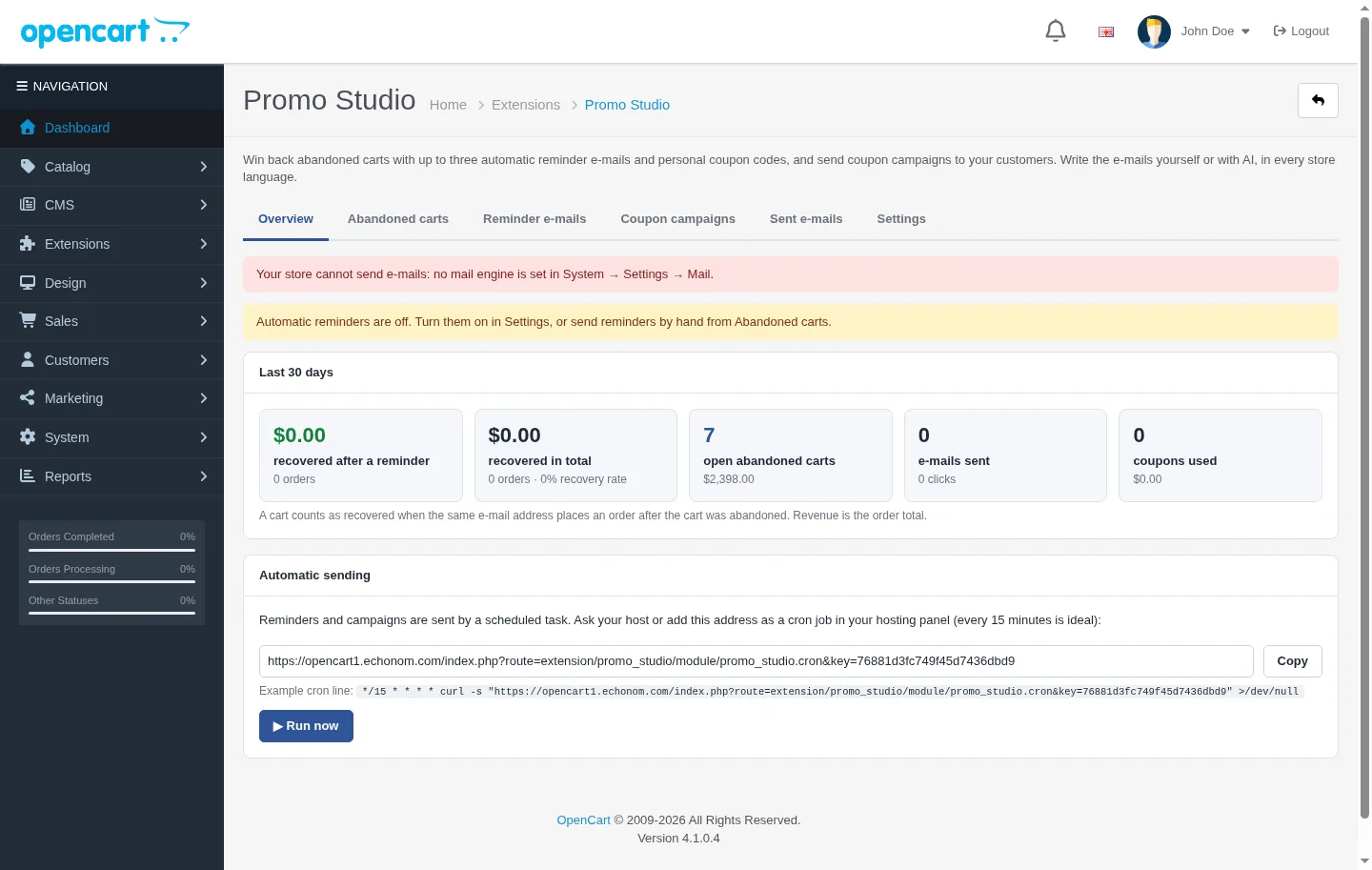
Your store follows up — so you don’t have to
Set it up once; it keeps recovering sales every day.
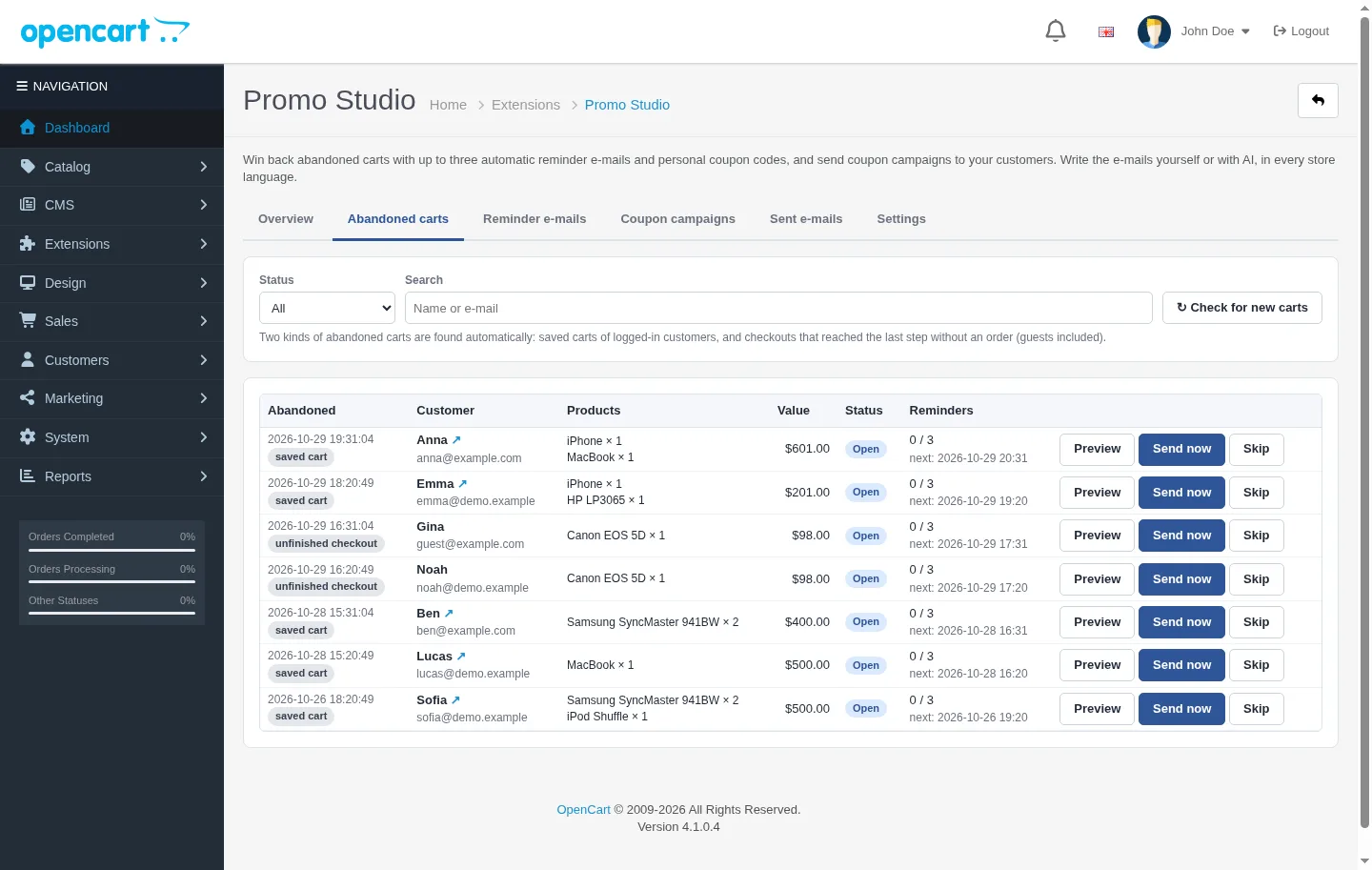
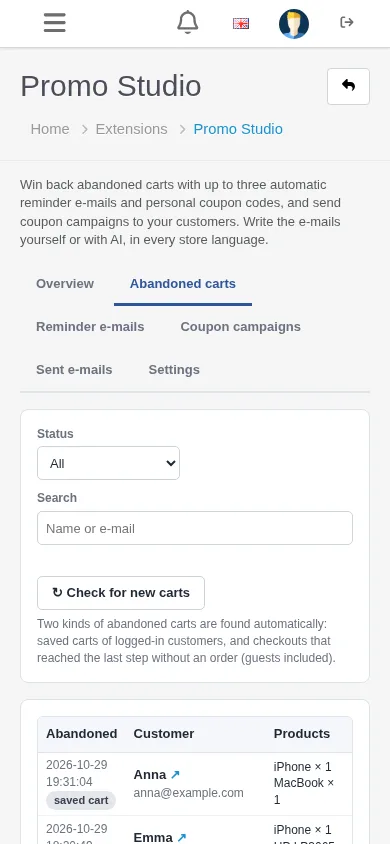
Saved carts of logged-in customers and checkouts that reached the last step without an order — guests included. No theme changes needed.
You choose when — for example after 1 hour, 1 day and 3 days — and which reminder carries a coupon.
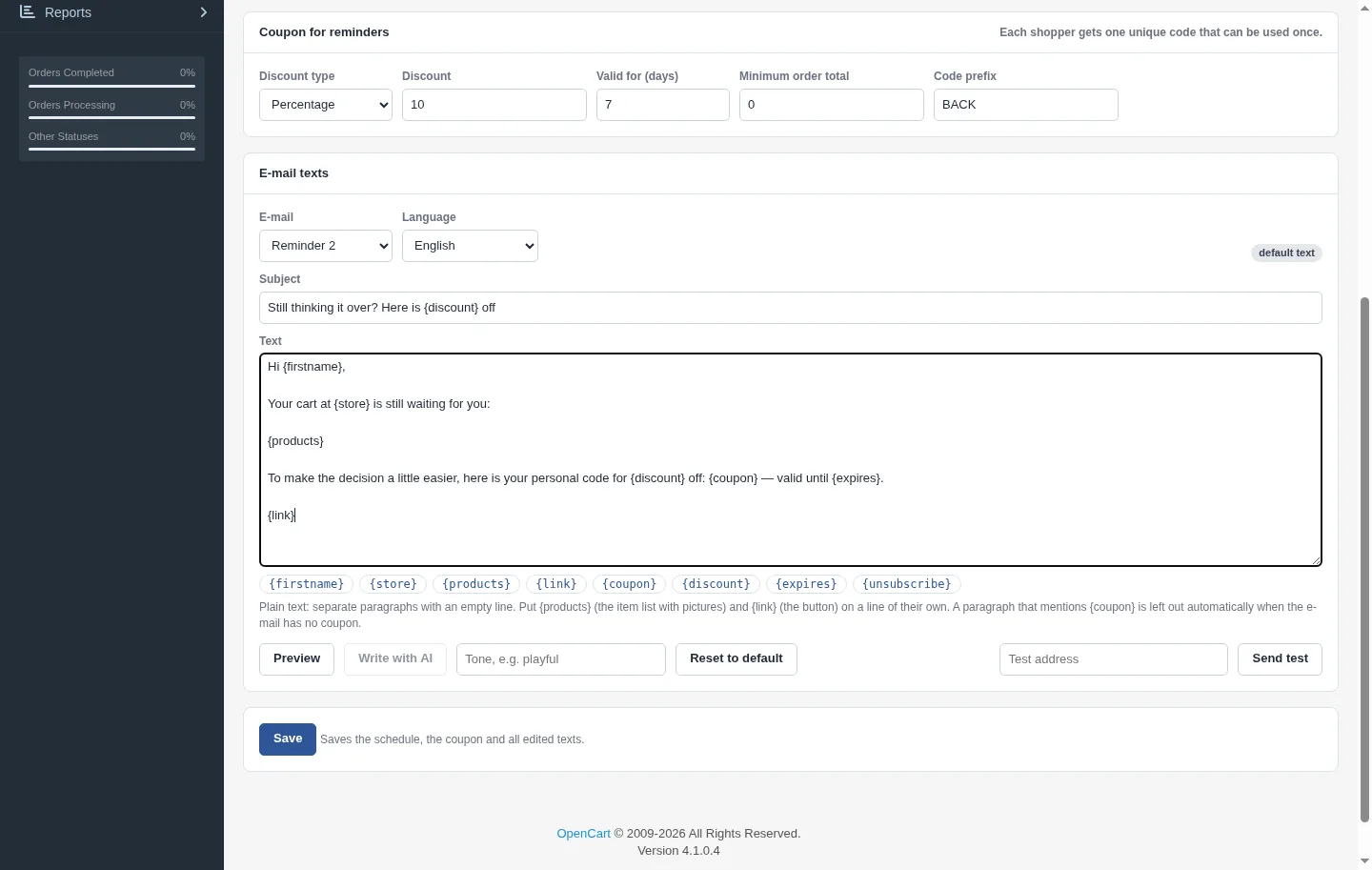
Percentage or fixed amount, expiry date and minimum order total. Every shopper gets a unique code, so codes cannot be shared.
A cart counts as recovered when the same e-mail address orders. Recovered revenue, clicks and used coupons in one overview.
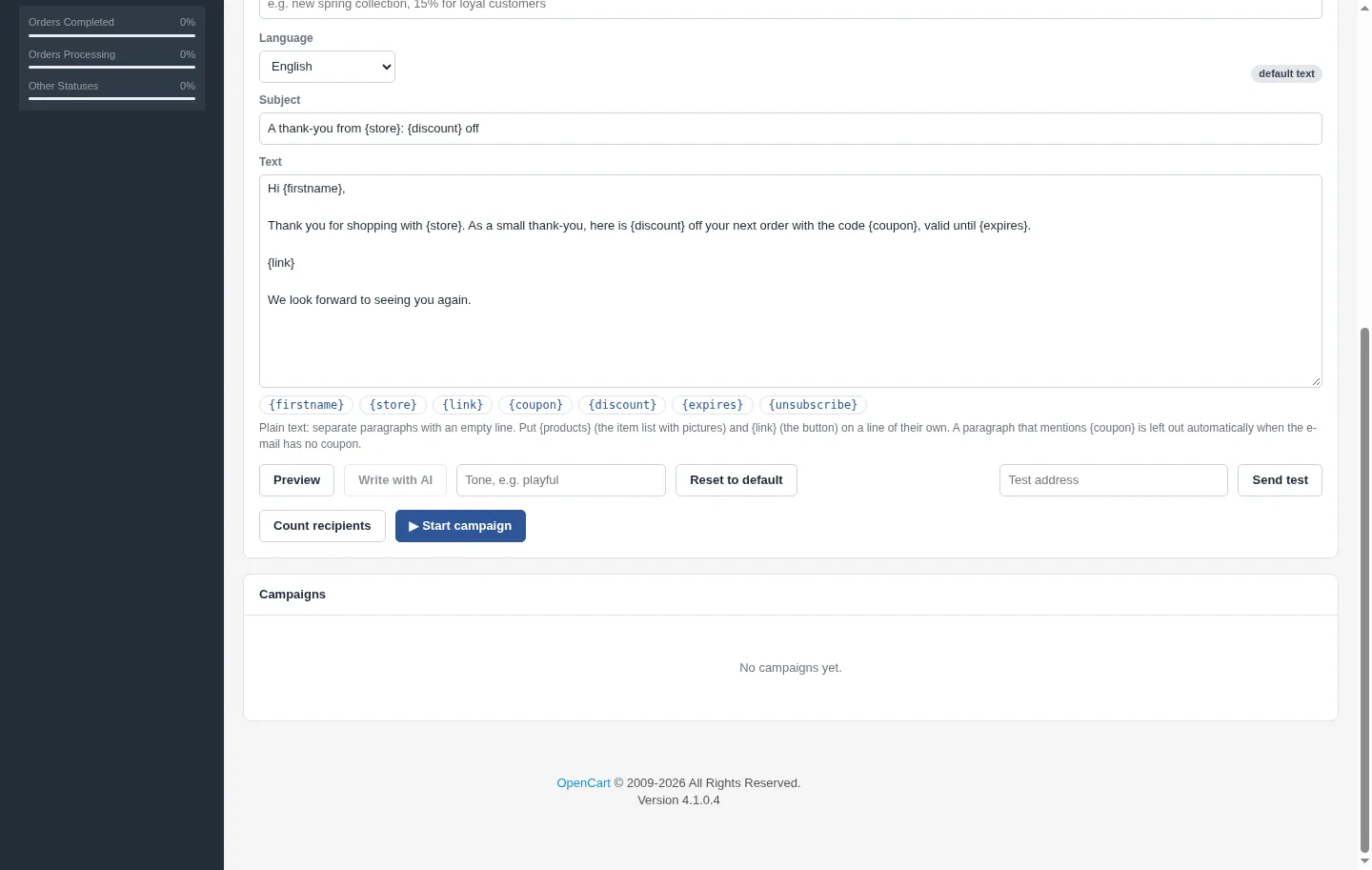
Newsletter subscribers, customers who have not ordered for a while, all buyers or one customer group — each with a personal code.
Subjects and texts in any store language with Claude, OpenAI or Gemini using your own key. Item list and coupon placeholders are kept automatically.
How a recovery works
| Step | What happens | You control |
|---|---|---|
| 1. Cart found | a logged-in customer leaves items in the cart, or a checkout stops at the last step | minimum cart total · newsletter subscribers only |
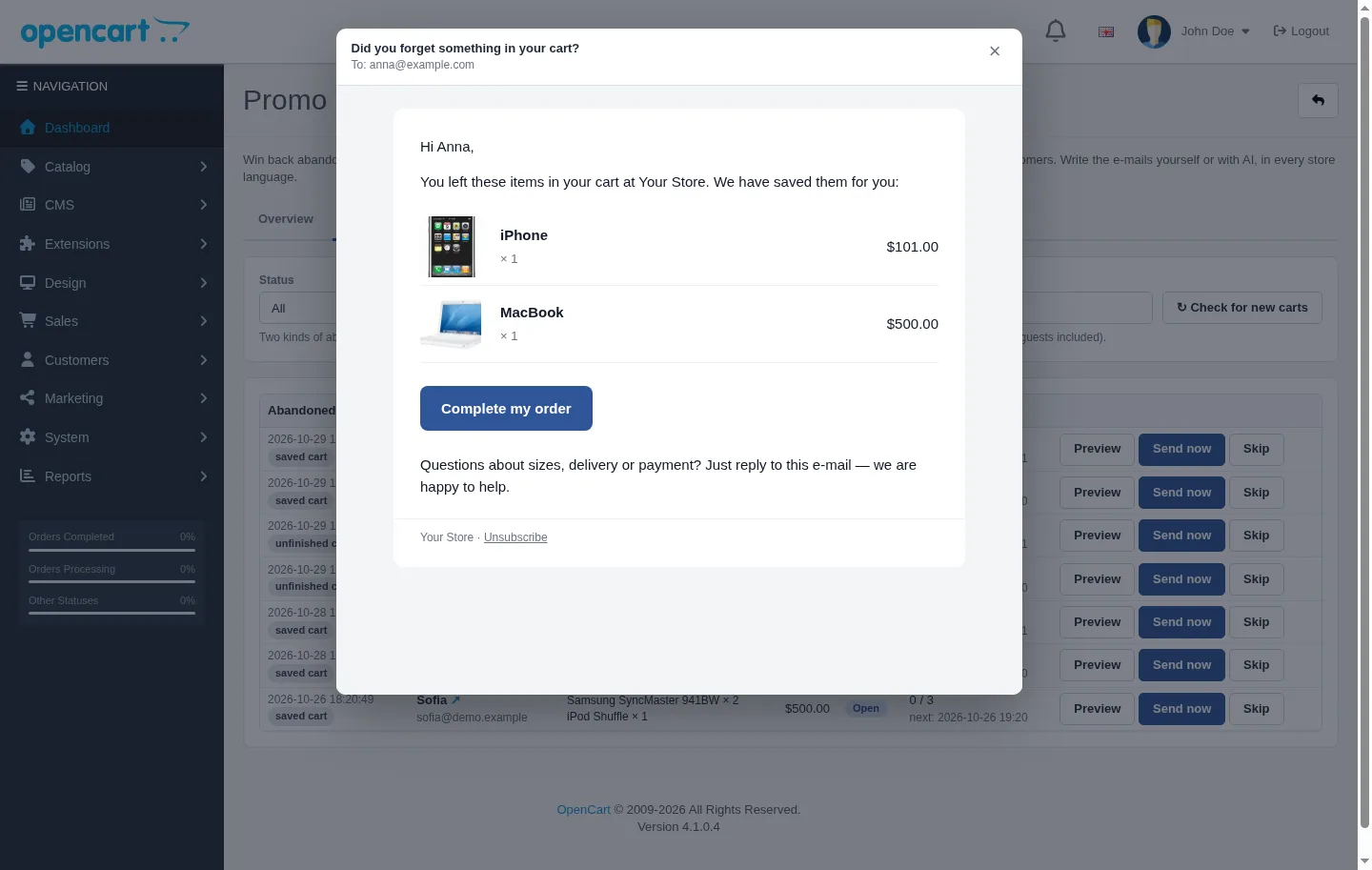
| 2. First reminder | an e-mail with product pictures, prices and a button back to the cart | timing · subject and text per language |
| 3. Coupon reminder | a unique one-time code is created and added to the e-mail | percentage or amount · validity · minimum total |
| 4. Last call | an optional third reminder before the cart expires | on / off · timing |
| 5. Recovered | the shopper orders — reminders stop and the order is counted as recovered revenue | overview · mail log · coupon usage |
| Always | one-click unsubscribe in every e-mail · test mode sends everything to you first | test address · send by hand |
Live demo — try it before you buy
Log in with demo / demo — the login form is already filled in. Then open Marketing → Promo Studio. Abandoned carts are already waiting: preview the reminder e-mails and build a campaign. Demo data is reset regularly.
The demo user can try the extension but cannot change store settings. E-mail sending and AI are switched off in the public demo.
Screenshots
Taken on a clean OpenCart 4.1 test store with the demo catalogue.
Compatibility
| OpenCart 3.0.x | OpenCart 4.0.2 – 4.1 | |
|---|---|---|
| Package | promo_studio_oc3.ocmod.zip | promo_studio.ocmod.zip |
| PHP | 7.1 – 8.4 | 8.0 – 8.4 |
| Guest checkouts | ✓ | ✓ |
| AI (optional) | Claude · OpenAI · Gemini · any OpenAI-compatible API | |
| Core / theme changes | None | None |
FAQ
Which carts does it find?
Saved carts of logged-in customers and checkouts that reached the last step without an order — guests included, because the e-mail address is entered at checkout. Carts without an e-mail address cannot be reminded.
How are the e-mails sent?
Through your store’s own mail settings (PHP mail or SMTP). A cron job sends reminders automatically; you can also send them by hand. A test address lets you receive every e-mail yourself first.
Does it change my storefront or theme?
No. The storefront part is three small endpoints — cron, click tracking and unsubscribe — without templates. No core or theme files are modified.
Do I need an AI subscription?
No. Ready-made reminder texts are included in all 9 languages. AI is optional: you use your own API key and pay your provider directly.