Your products on Facebook, Instagram, Pinterest and Telegram — on autopilot.
Social Studio posts your products to your Facebook Page, Instagram business account, Pinterest board and Telegram channel. Pick products and a schedule — or let it post every new product and a product of the day automatically. Captions come from your templates or are written by AI.
Social media for your store — without the daily routine
Choose once what gets posted and when; Social Studio does the rest.
Facebook Page photo posts, Instagram business posts, Pinterest pins with a link and Telegram channel posts with a “View product” button.
Every product image is delivered as a square 1080×1080 JPEG, so PNG product photos work on Instagram too.
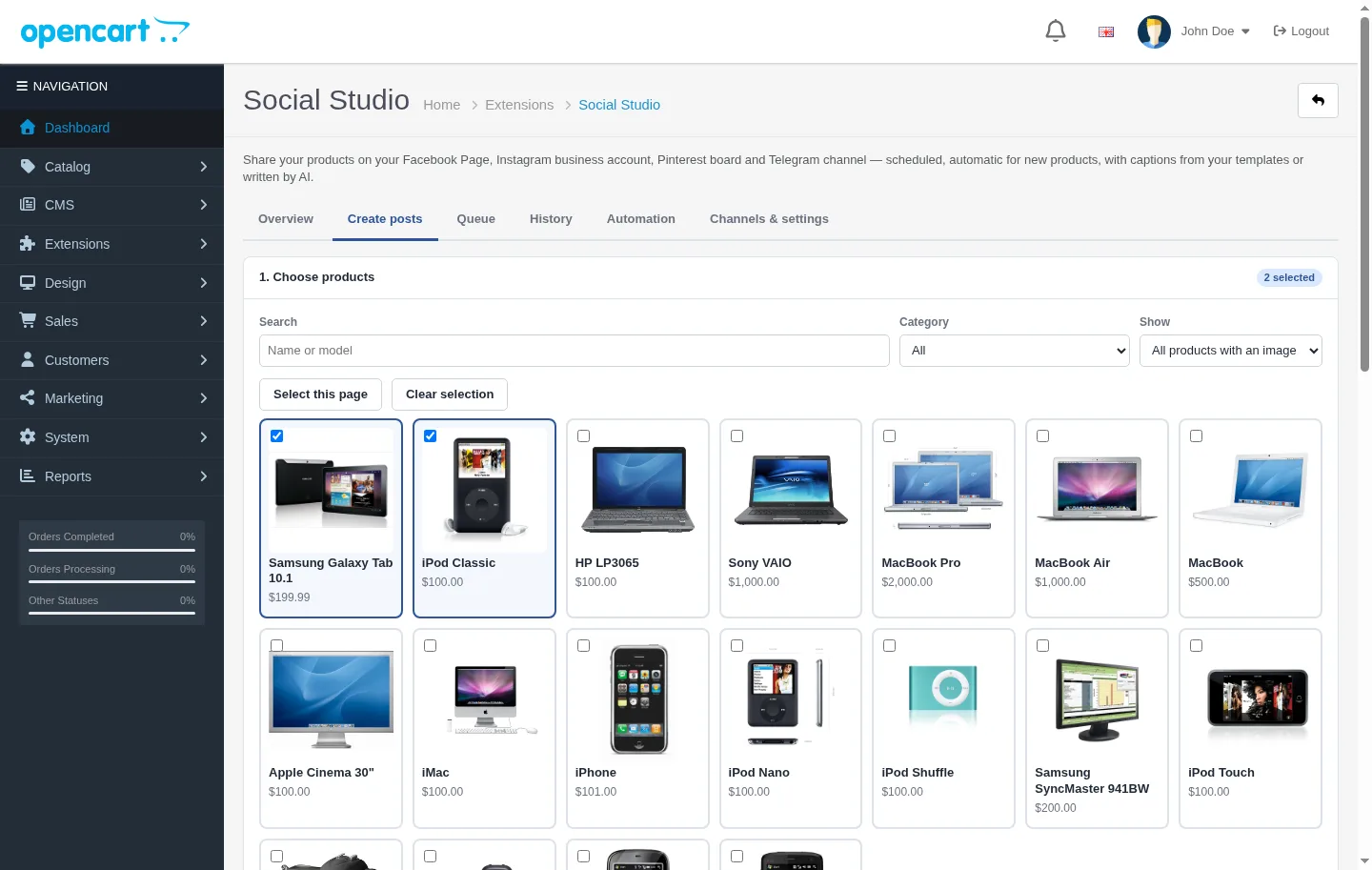
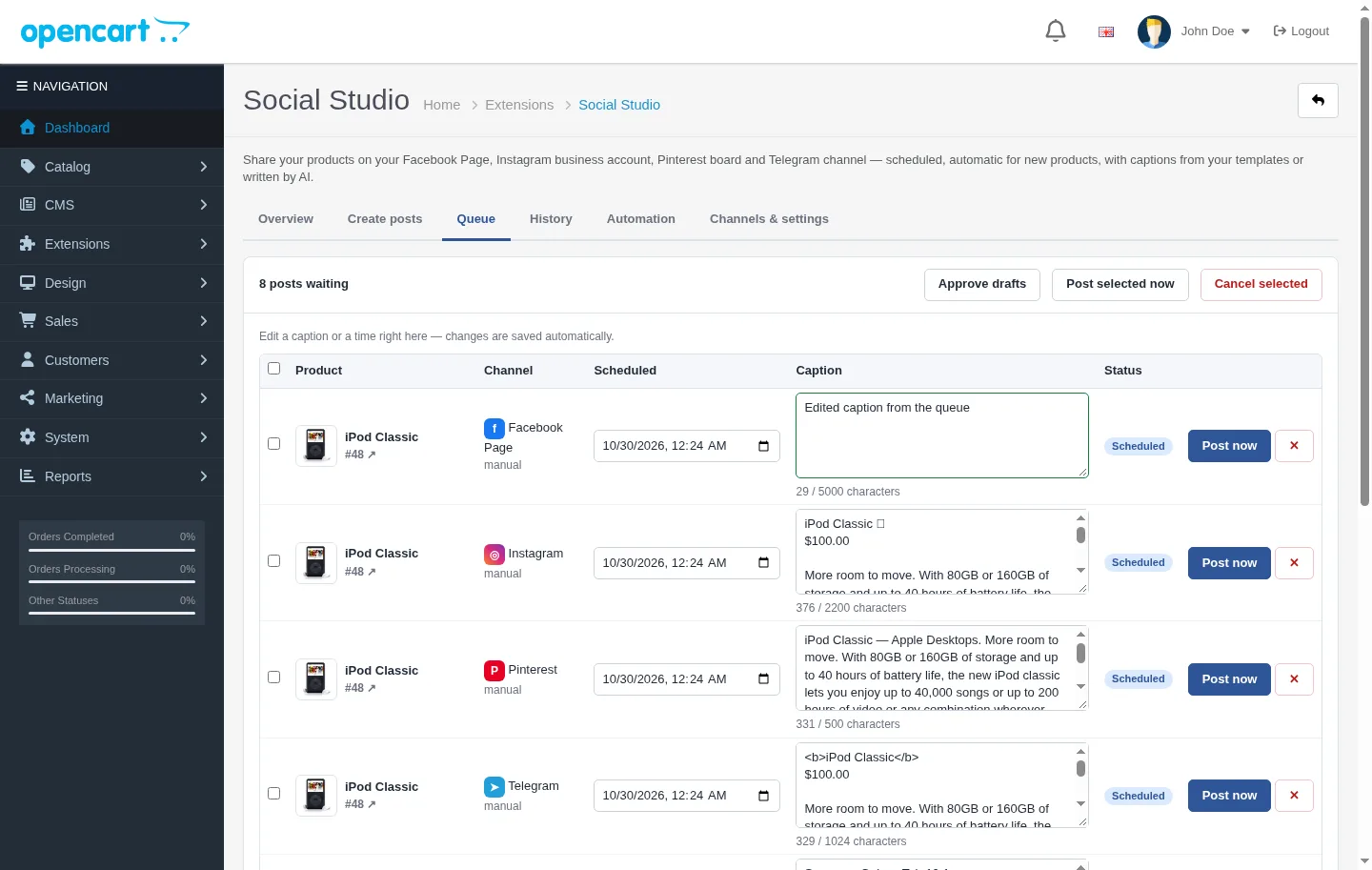
Spread posts over days, save drafts, edit captions and times inline, post now and retry failed posts.
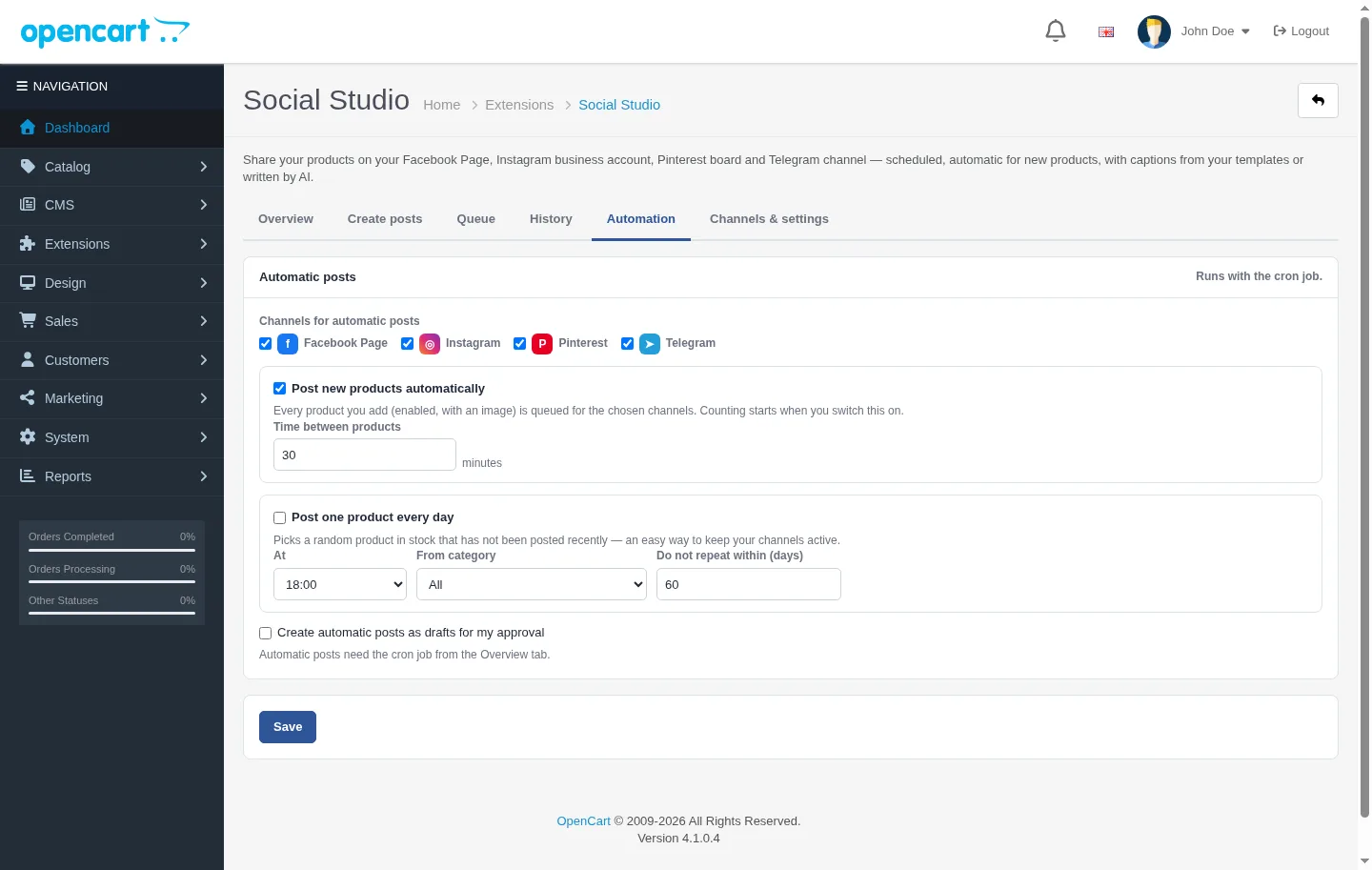
Post new products as soon as you add them, and/or one random in-stock product every day — optionally as drafts for your approval.
Templates per channel and language with name, price, special price, link, brand, category and hashtags — or AI captions written for each channel.
UTM tags on product links, so social traffic shows up in your analytics. The history links to every published post.
Channels
| Channel | Post | What you need |
|---|---|---|
| photo post on your Page with caption and product link | Meta app · Page access token | |
| photo post on your business account (created and published the way Instagram requires) | Instagram business account linked to the Page | |
| pin on the board you choose, linking to the product | Pinterest app · access token · board | |
| Telegram | photo post in your channel with a “View product” button | bot token · bot added to the channel |
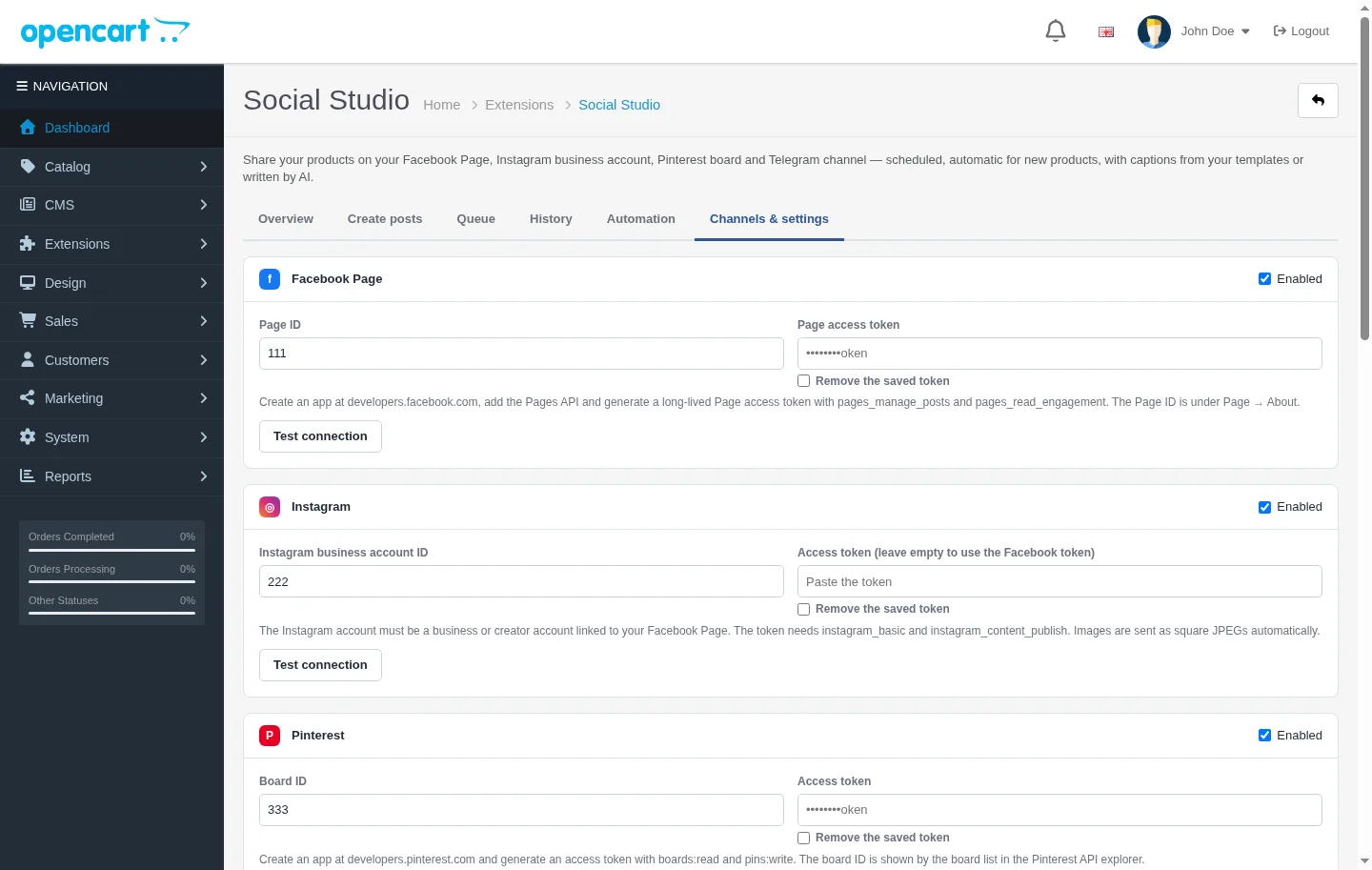
| All channels | connection test for each channel · tokens are stored masked and never shown again | step-by-step help inside the extension |
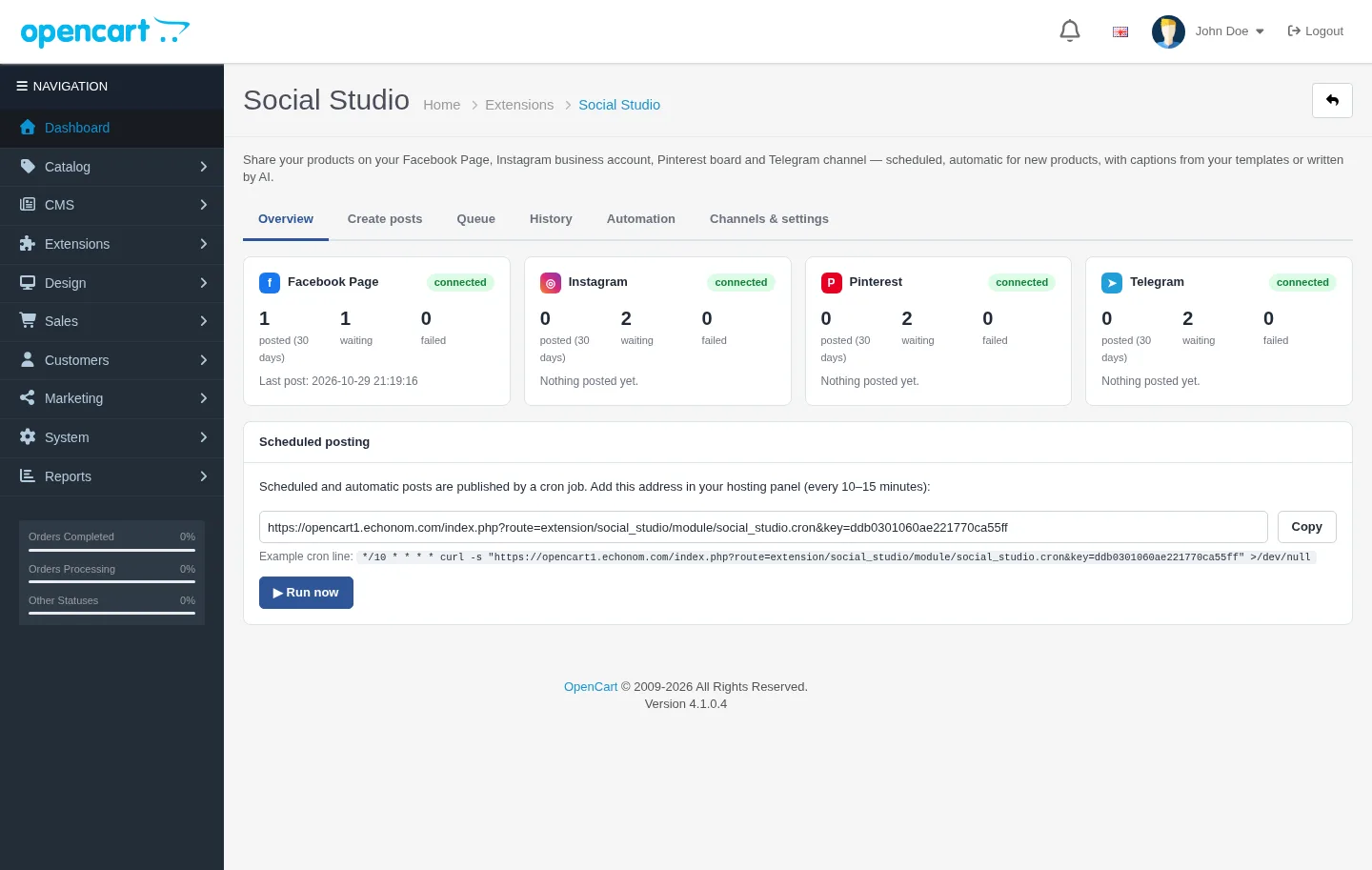
| Your store | must be reachable from the internet — the networks download the product image from it | cron job for scheduled posts |
Live demo — try it before you buy
Log in with demo / demo — the login form is already filled in. Then open Marketing → Social Studio. Browse the queue and preview posts for every channel. Demo data is reset regularly.
The demo user can try the extension but cannot change store settings. No channel accounts are connected in the public demo, so nothing is actually posted.
Screenshots
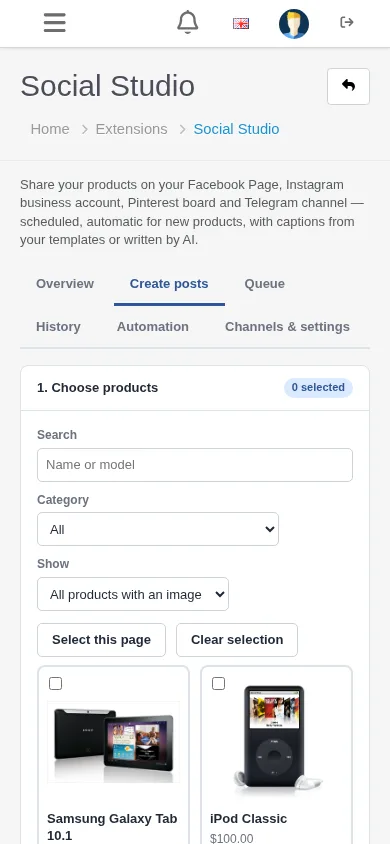
Taken on a clean OpenCart 4.1 test store with the demo catalogue.
Compatibility
| OpenCart 3.0.x | OpenCart 4.0.2 – 4.1 | |
|---|---|---|
| Package | social_studio_oc3.ocmod.zip | social_studio.ocmod.zip |
| PHP | 7.1 – 8.4 | 8.0 – 8.4 |
| Scheduled and automatic posts | ✓ | ✓ |
| AI captions (optional) | Claude · OpenAI · Gemini · any OpenAI-compatible API | |
| Core / theme changes | None | None |
FAQ
Do I need developer accounts?
Only for the channels you use: a Meta app for Facebook and Instagram, a Pinterest app, or a Telegram bot. The extension explains each step, and a connection test shows right away whether everything works.
Does it post on its own?
Only if you want it to. Automation can post new products and a daily product, or create drafts you approve first. Scheduled posts need a cron job; “Post now” works without it.
Does it change my storefront or theme?
No. The storefront part is two small endpoints — the cron and a signed product image address. No core or theme files are modified.
Do I need an AI subscription?
No. Caption templates are included in all 9 languages. AI captions are optional: you use your own API key and pay your provider directly.